- Start with the room and how it will be used – these determine the type of screen, not the other way round.
- Calculate the size from the viewing distance: in meeting rooms H = D/6 or D/4, in home cinema H = Ds/2.5.
- Match the screen's aspect ratio to the projector's native format and to the content you show most often.
- Choose the fabric according to the light in the room and the projector type – ALR Ambient Grey 2 is not suitable for UST projectors.
- For 4K, ALR fabrics, UST projectors and large sizes, choose a fixed-frame screen or a roller screen with Tensio side tensioning.
Before you start: measure the room and note down three figures
Every decision is easier with a few measurements to hand. Before you open the configurator, note down:
- the distance from the screen wall to the furthest viewer (in meeting rooms) or to the main seat on the sofa (in home cinema),
- the width of the free wall and the ceiling height – including whether the ceiling is suspended,
- the projector model – or at least its resolution, throw ratio and brightness.
With this data you can work through the seven decisions below. The order is deliberate: earlier choices narrow down later ones. For example, an ultra-short-throw projector immediately rules out some fabrics and means the screen has to be perfectly flat.
Decision 1: where the screen will go and what it will be used for
This question shapes everything else. A screen for a dedicated, darkened cinema room is chosen differently from one for a bright living room, and differently again from one for a meeting room where the image must be legible from the last chair.
| Room | What matters most | Typical direction |
|---|---|---|
| Dedicated cinema room | contrast, flatness, immersion | fixed-frame screen, white fabric, often Scope 2.35:1 |
| Living room | screen disappears after viewing, daylight | tensioned motorised or in-ceiling screen, ALR or grey fabric |
| Meeting room | text legibility, integration with the room | motorised screen in a case or in-ceiling, 16:10 |
| Classroom, lab | durability, simple operation | motorised screen, Vision White fabric |
| Lecture hall, auditorium | large size, load capacity, acoustics | large-format screen, often acoustic fabric |
| Events, rental | quick set-up, transport | FramePro folding frame, quick-fold surfaces |
Detailed guides for specific settings: home cinema screens, meeting room screens and screens for schools.
Decision 2: mounting method – fixed-frame, motorised, in-ceiling or mobile
ADEO makes several families of screens, which differ mainly in how the fabric is stored and tensioned:
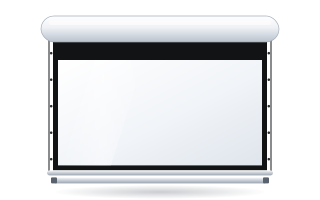
- Motorised screens – the fabric rolls up into a case mounted on the wall or below the ceiling. After the presentation the wall is clear. Examples: Basic, Linear SE, Rugby Pro, Rugby Plus.
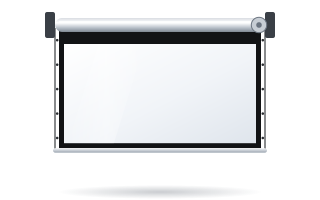
- Tensioned Tensio screens – roller screens in which side cables or the Floating Tab system keep the surface flat. A compromise between a frame and a roller.
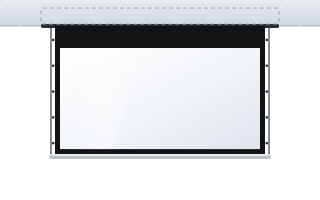
- Motorised in-ceiling screens – the case is hidden in a suspended ceiling; when rolled up, only a narrow slot is visible (Inceel, InSuperior, Max Inceel).
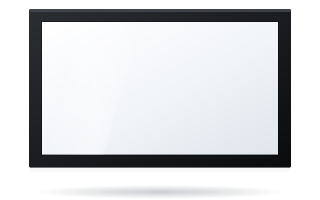
- Fixed-frame screens – the fabric is stretched over a permanent frame. The flattest surface, but the screen is visible all the time (Plano, Prestige, Frameless).
- Mobile screens and surfaces – FramePro folding frames and quick-fold surfaces for trusses and stages.
If you are torn between the first two groups, read the comparison fixed-frame or motorised screen. Screens hidden in the ceiling are covered in the guide in-ceiling screens, and solutions for travelling set-ups in screens for events and rental.
Decision 3: image size
Screen size follows from the viewing distance, not from how much space there is on the wall. ADEO gives two sets of rules:
- Meeting rooms, training rooms, education: image height H = D/6 for presentations and video, or H = D/4 when showing charts, tables and drawings. D is the distance to the furthest viewer.
- Home cinema: H = Ds/2.5 for Full HD and better content, or H = Ds/3.3 for HD and SD. Ds is the distance from the main seat to the screen.
You get the width by multiplying the height by the aspect ratio. Two quick examples:
- A 9 m long room, presentations: H = 9 ÷ 6 = 1.5 m. In 16:10 the image width is 1.5 × 1.6 = 2.4 m.
- Sofa 3 m from the screen, Full HD or 4K films: H = 3 ÷ 2.5 = 1.2 m. In 16:9 the width is approx. 2.13 m, i.e. a diagonal of approx. 96″.
Also bear in mind two limits: the nearest viewer should sit at least as far away as the image is wide, and when looking at the centre of the screen should not have to raise their gaze by more than approx. 15°. Full formulas, tables and an interactive calculator are in the guide how to choose the screen size, and ready-made dimensions for 60–300″ diagonals in the diagonal size table.
Decision 4: aspect ratio
The screen's aspect ratio should match the projector's native format and the content you show most often:
- 16:9 – Full HD and 4K UHD projectors, films, series, sport, games. The most common choice for the home.
- 16:10 – WUXGA projectors and laptops. The standard in meeting rooms and education.
- 2.35:1–2.40:1 (Scope) – cinema films without black bars; requires a projector with a suitable mode or an anamorphic lens.
- 4:3 and 1:1 – older projectors, documents, special applications.
If you watch both cinema films and TV in the same room, consider a screen with format masking. The differences between formats are described in the guide 16:9 or 2.35:1.
Decision 5: screen fabric
The fabric determines brightness, contrast and viewing angle. The key parameter is gain – how much light is reflected compared with a reference white surface. Higher gain means a brighter image on axis but a narrower viewing angle.
| Situation | Fabric | Gain |
|---|---|---|
| Darkened or partly darkened room, office, school | Vision White | 1.2 |
| Home cinema, studio, controlled light | Reference White 2 | 0.9 |
| Light walls, some ambient light, also UST projectors | Reference Grey 2 | 0.5 |
| Daylight, standard or short-throw projector | Ambient Grey 2 (ALR) | 0.9 |
| Ambient light, UST or ST projector | Ambient Grey | 0.6 |
| Speakers behind the screen | Acoustik fabrics (0.5 mm or 1.3 mm perforation) | 0.5–0.9 |
| Projection from behind the screen | Vision Rear DB | 0.6 front / 0.8 rear |
Two rules that are easy to forget: ALR Ambient Grey 2 fabric does not work with UST projectors, and none of the fabrics in the range is designed for passive polarised 3D. A full comparison is in the guide how to choose a screen fabric and on the screen fabrics page. Specific topics: ALR screens, acoustic screens, rear projection, ChromaKey backdrops and gain and viewing angle.
Decision 6: finish, border and tensioning
With roller screens you choose what the area around the image should look like and whether the fabric should be additionally tensioned:
- A black border around the image (5 or 7 cm depending on the model) clearly separates the image from the wall and masks small inaccuracies in projector alignment.
- A black drop, i.e. a black strip above the image, lets you bring the image lower when the case hangs high up near the ceiling.
- Tensio side tensioning – side cables (Tensio Classic, CTS) or the Floating Tab system keep the fabric flat. Recommended for 4K, ALR fabrics, UST projectors and large sizes.
All ADEO roller screens come as standard with features that limit waviness: springs fixing the fabric at the ends, a double-groove roller and an embossed 4K-compatible surface. When this is not enough, and why, is explained in the guide tensioned Tensio screens.
Decision 7: control and integration
A motorised screen can be lowered with a wall switch, a radio remote, a 12 V trigger from the projector (the screen comes down by itself when the projector is switched on) or from the room's control system via RS232 or a dry contact. Some models offer a Somfy io motor that works with smart home systems. Decide this before installation, because the control method determines which cables need to be run to the case. Details: controlling a motorised screen and installing a motorised screen. Interfaces and remotes can be found in the screen accessories section.
Decision tree: which type of screen to choose
- Should the screen disappear when not in use? No – go to fixed-frame screens (step 4). Yes – step 2.
- Is there a suspended ceiling with space for the case? Yes – an in-ceiling screen (Inceel, InSuperior). No – a motorised screen in a case, step 3.
- Is the projector UST or 4K, should the fabric be ALR, or is the screen large? Yes – choose a tensioned version (OnSuperior, InSuperior, Rugby with Tensio Classic). No – a classic roller screen will do (Basic, Rugby Pro).
- Does the screen need to be transported? Yes – a FramePro folding frame or a quick-fold surface. No – a permanent frame: Plano, Prestige, Frameless or a curved version.
- Should the image be wider than approx. 4.5 m? Yes – look at large-format screens (Alumid, Max One, Big One, Max Inceel, Frameless, Cinema). Lecture halls are covered in the guide screens for auditoriums and lecture halls.
Typical configurations – where to start
| Scenario | Type and model | Aspect ratio | Fabric |
|---|---|---|---|
| Dedicated cinema room, dark walls | fixed-frame: Plano or Prestige | 16:9 or 2.35:1 | Reference White 2 |
| Living room with windows, standard projector | tensioned: OnSuperior | 16:9 | Ambient Grey 2 |
| Living room, UST projector | fixed-frame Plano or OnSuperior | 16:9 | Reference Grey 2 or Ambient Grey |
| Meeting room with a suspended ceiling | in-ceiling: Inceel or InSuperior | 16:10 | Vision White |
| Meeting room without a suspended ceiling | motorised: Rugby Pro | 16:10 | Vision White |
| School classroom | motorised: Basic | 16:10 | Vision White |
| Auditorium | large-format: Alumid, Max One, Max Inceel | 16:10 or 16:9 | Vision White or Vision Acoustik |
Large auditoriums and cinemas are served by the cinema screens category, and immersive installations and premium cinemas by curved screens (see also the guide curved or flat screen).
The most common mistakes when choosing a screen
- Screen chosen to fit the wall, not the audience. The largest possible screen is often too big: viewers in the front row cannot take in the whole image, and the projector cannot light it properly.
- Aspect ratio not matching the projector. A 16:10 projector on a 16:9 screen, or vice versa, means bars or an image spilling over the fabric.
- ALR fabric with a UST projector. Ambient Grey 2 is designed only for standard and short-throw projectors. With UST, choose Reference Grey 2 or Ambient Grey.
- An ordinary roller screen for a UST projector. Light arriving at a steep angle accentuates every ripple in the fabric. You need a frame or Tensio.
- Image hung too high. When the front row has to look up more than approx. 15° to the centre of the image, viewing quickly becomes tiring.
- Control decided after installation. A missing cable for the 12 V trigger or the room system usually comes to light only after the walls have been painted.
- Forgetting the case and border. The image size is not the screen's overall size – the case, border and weight bar take up extra space.
Screen and projector – which to buy first
It is best to choose both together, or to start with the projector and match the screen to it. The projector's resolution sets the aspect ratio, its throw ratio the possible image width from a given mounting position, and its brightness a sensible size and gain. How to calculate this is shown in the guide how to match a screen to a projector. If you are still deciding whether to buy a projector at all, read the comparison projector or TV.
Checklist before ordering
- I know the distance to the furthest viewer or to the sofa and have calculated the image height.
- I have checked the projector's native format and chosen the same aspect ratio for the screen.
- I know the projector's throw ratio and know that it will cover the chosen width from the planned position.
- I know how much light there will be in the room during projection and have chosen the fabric accordingly.
- I have checked whether the projector is UST – if it is, I have ruled out Ambient Grey 2 and an ordinary roller screen.
- I have measured the space for the case or frame and the ceiling height; I have checked at what height the bottom edge of the image will be.
- I have decided on the control method and planned the cables (230 V, possibly 12 V or RS232).
- I know who will install the screen.
With these answers, choosing takes a few minutes in the configurator for the home or for business and institutions – every ADEO screen is made to measure, and you see the price straight away. ABC Prezentacji also provides advice on preparing the site and ships at no extra transport cost – contact us. We also handle public procurement – see how to specify a screen in a tender.
All projection screen guides
Choosing a screen
- How to choose the screen size
- Screen dimensions – diagonal size table
- Aspect ratio: 16:9 or 2.35:1
- Fixed-frame or motorised screen
- How to match a screen to a projector
- Projector or TV
Home cinema
- Home cinema screens
- Screens for a bright living room
- Screens for ultra-short-throw projectors
- Acoustic screens
- Curved or flat screen
Business, education, events
- Meeting room screens
- Screens for schools
- Screens for auditoriums and lecture halls
- Screens in public procurement
- Screens for events and rental
Fabrics and image quality
- Screen fabrics – how to choose
- ALR screens and grey fabrics
- Rear projection
- ChromaKey green screen
- Screen gain and viewing angle
Installation, control, servicing
- Installing a motorised screen
- In-ceiling screens
- Controlling a motorised screen
- Tensioned Tensio screens
- Screen cleaning and maintenance
Unfamiliar terms are explained in the glossary.
Frequently asked questions
Which projection screen should I choose for my home?
For a dedicated cinema room, a fixed-frame screen with white Reference White 2 fabric is best. For a living room, a tensioned motorised screen or an in-ceiling screen is more common, and with daylight, ALR Ambient Grey 2 fabric (for standard projectors).
How do I choose the size of a projection screen?
In home cinema, the image height is the distance from the sofa divided by 2.5. In meeting rooms, the height is the distance to the last viewer divided by 6, or by 4 for detailed tables and charts.
Does a projection screen have to be white?
No. White fabric works well in darkened rooms, while grey fabrics (Reference Grey 2, Ambient Grey, Ambient Grey 2) improve blacks and contrast with ambient light or light-coloured walls.
Motorised or fixed-frame screen – which is better?
A fixed-frame screen gives the flattest surface and is best for a cinema room. A motorised screen disappears after use; in the Tensio tensioned version it comes close to a fixed frame in flatness.
Which aspect ratio should I choose?
The same as the projector's native format: 16:9 for Full HD and 4K projectors, 16:10 for WUXGA business projectors. Choose 2.35:1 for home cinema if the projector supports a cinema-format image.
Can I buy a made-to-measure screen?
Yes. Every ADEO screen is made to measure within the width range of the given model, and the price of your configuration is shown immediately in the configurator.