- In a typical classroom with the back desk approx. 8 m from the board, you need an image approx. 1.33 m high (D/6).
- The most common choice is a motorised screen with white Vision White fabric (gain 1.2, 180° angle).
- Match the screen aspect ratio to the projector – buying both together avoids black bars and the wrong throw distance.
- Installation is best planned for half-term or the summer holidays; we handle public procurement and tenders.
What size screen for a classroom
Screen size in a school is calculated from the distance to the back desk (D). According to the manufacturer's recommendations, the image height should be D / 6 for presentations and films, and D / 4 when pupils need to read small text, formulas or technical drawings.
| Back desk (D) | Height D/6 | 16:10 width | 16:9 width | Smallest legible character |
|---|---|---|---|---|
| 6 m | 1.00 m | 1.60 m | 1.78 m | approx. 4 cm |
| 7 m | 1.17 m | 1.87 m | 2.07 m | approx. 4.7 cm |
| 8 m | 1.33 m | 2.13 m | 2.37 m | approx. 5.3 cm |
| 9 m | 1.50 m | 2.40 m | 2.67 m | approx. 6 cm |
| 10 m | 1.67 m | 2.67 m | 2.96 m | approx. 6.7 cm |
Example: a 9 m long classroom, back desk 8 m from the screen wall. The image should be at least 1.33 m high, i.e. approx. 2.13 m wide in 16:10. In maths lessons or a technical lab, where detail matters, it is worth going for a larger image – approx. 2.4 m wide. Letters on slides should be at least approx. 5.3 cm high on screen (1/150 of the distance).
Hang the screen so that the bottom edge of the image is approx. 1.1–1.2 m above the floor – pupils in the front desks will then not block the content for those behind. More in the guide how to choose the screen size.
What aspect ratio for a school screen
The screen aspect ratio should match the projector. WXGA and WUXGA school projectors are 16:10, Full HD and 4K projectors 16:9. 4:3 and square 1:1 are found in older rooms; a 1:1 screen can display an image from a projector of any proportions, but part of the fabric always remains unused. When replacing equipment, it is better to match the screen aspect ratio to the new projector straight away.
A motorised screen in the classroom – is it worth it?
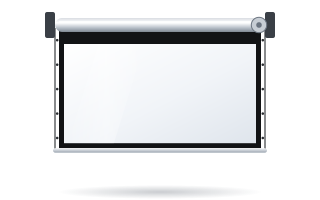
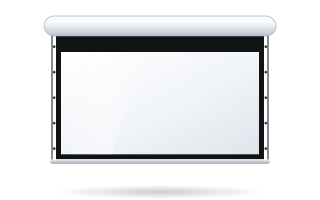
Yes, for several reasons. A motorised screen lowers at the press of a button, there is no need to reach for a pull cord, and the fabric is not yanked and tugged as with manual screens. When a lesson does not need projection, the screen retracts into its case and reveals the board. On models with a bottom bar that closes the case (e.g. Rugby), the fabric is protected from dust when rolled up.
| Location | Suggested screen | Notes |
|---|---|---|
| Classroom, lab | Basic, Rugby Pro | width approx. 2–2.7 m, Vision White, wall switch |
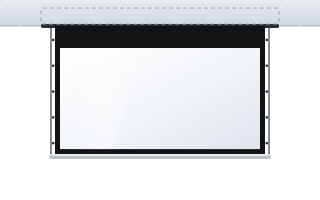
| Classroom with a suspended ceiling | Inceel | once rolled up, only a narrow slot is visible |
| Lab with an ultra-short-throw projector | tensioned or fixed-frame screen (Plano) | UST projectors exaggerate ripples in the fabric |
| Multimedia lab, school studio | screen with ChromaKey Green fabric | video recording backdrop – green screen |
| Sports hall, school assembly hall | Rugby Plus, Alumid | width 3–4.5 m, high-level installation |
Sports hall and school assembly hall
In a sports hall or school assembly hall, the back row is often 12–15 m from the screen. Under the D/6 rule, this requires an image 2–2.5 m high, i.e. 3.2–4 m wide in 16:10. These sizes are covered by Rugby Plus (up to 4.5 m) and Alumid (3.5–4.5 m). In a sports hall the screen should hang high, out of reach of balls, and be rolled up after every use – the bottom bar closing the case then protects the fabric. The controls are best placed in a lockable cabinet, or use a radio remote, so the screen is not operated accidentally. For larger halls, see the guide screen for an auditorium and lecture hall.
Fabric for a school
In most classrooms Vision White works well – a white fabric with a gain of 1.2 and a 180° viewing angle. It gives a bright image even for pupils sitting by the walls. If the screen hangs in front of a window or on a light wall, consider Vision White Pro (temporarily unavailable) with a black back that blocks light from behind the screen. Schools are rarely fully darkened, so the projector should have brightness in reserve and the windows should have blinds. Description of all surfaces: projection fabrics.
Screen and projector – buy them together
Most problems in schools come from a screen and projector bought separately. Before ordering, check:
- Aspect ratio – 16:10 for a WXGA/WUXGA projector, 16:9 for Full HD.
- Throw distance – image width = projector distance from the screen / throw ratio. A projector with a throw ratio of 1.2 mounted 3 m from the screen gives an image 2.5 m wide.
- Projector type – with short-throw and ultra-short-throw projectors, the fabric must be exceptionally flat.
- Cable routing – power for the screen (230 V) and projector, and a signal cable to the teacher's desk.
Details in the guide how to match a screen to a projector.
Safe installation in a school
- Fix the screen to a load-bearing wall or ceiling slab with anchors suited to the substrate – never to plasterboard alone.
- When the screen must stand off the wall (e.g. above a board), use bracket extensions with the right load capacity – they are in the screen accessories section.
- Place the switch out of reach of the youngest pupils, e.g. by the teacher's desk.
- Run cables in trunking or inside the wall; do not leave cables hanging.
- Have the installation carried out by a team experienced in working at height, especially in sports halls and assembly halls.
Installation during half-term and summer holidays
Installation during the school year disrupts lessons, so most schools plan equipment replacement for half-term or the summer holidays. It is worth ordering in advance – ADEO screens are made to measure, and we confirm the lead time once the order is placed. Fitting is done by your installer and the power connection by an electrician. Before the installer arrives, check that there is a socket or a 230 V supply at the mounting point, that the wall or ceiling construction is known, and that the room will be clear of furniture along the screen wall. When replacing several screens at once, it helps to prepare a simple list of rooms with dimensions, distance to the back desk and projector type – this makes choosing the screens easier.
Tenders and projects for schools
ABC Prezentacji handles public procurement and tenders. How to describe a screen in a specification without naming a brand is explained in the guide screens in public procurement. When you are equipping several classrooms or a whole school, ABC Prezentacji advises on preparing each room and ships at no extra transport cost – get in touch with us. Fitting is done by your installer and the power connection by an electrician. Schools and public institutions can pay by bank transfer with 14-day payment terms.
Common mistakes
- A screen too small for the length of the room – text is illegible from the back desks.
- A 4:3 or 1:1 screen with a 16:10 projector – a smaller image and black bars.
- A screen hung low, in front of the board, with no way to reveal it.
- A UST projector on an ordinary roller screen – visible ripples in the fabric.
- No 230 V socket near the case of the motorised screen.
Frequently asked questions
Which screen for a school classroom?
Most often a motorised screen approx. 2–2.7 m wide with white Vision White fabric, in an aspect ratio matching the projector (usually 16:10).
Is a motorised screen in a classroom a good idea?
Yes – it lowers at the press of a button, the fabric is not yanked as with manual screens, and after the lesson the screen retracts into its case and reveals the board.
Which screen for a short-throw projector in a school?
With ultra-short-throw projectors the fabric must be very flat, so choose a tensioned screen or a fixed-frame screen.
Do you handle tenders?
Yes – we handle public procurement and ship the screens at no extra transport cost. Fitting is done by your installer and the power connection by an electrician – we will advise you on preparing the site.
When is the best time to install screens in a school?
During half-term or the summer holidays, so as not to disrupt lessons. Screens are made to measure, so it is worth ordering in advance.