- The image should hang so that the nearest viewer looks up to the centre of the screen at an angle of no more than about 15°.
- The OnSuperior lowers the image with a black top drop of up to 140 cm, for images up to 4.5 m wide.
- According to the distributor's literature, a screen lift (Lift Screen) can lower the screen by as much as 400 cm.
- For distant rows, size the image with H = D/6 – in a long nave this quickly leads to large-format Alumid or Max One screens.
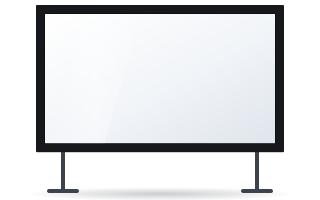
- For occasional events, a FramePro frame on stands with height adjustable from 152–284 cm is sufficient.
Why a tall interior is a challenge for a screen
In a typical room the screen is mounted under the ceiling and that is that. In a church, auditorium or hall with a high vault, three problems arise:
- The image is too high – a screen under the vault forces people to crane their necks, especially in the front pews.
- The back rows are far away – a nave is often 25–40 m long, so the image has to be large.
- Access is difficult – installation and servicing require a lift or scaffolding, and any work on historic walls usually has to be agreed with the conservation officer.
Then there is the light. Stained glass and windows produce changing light that usually cannot be blocked out. This affects the choice of projector and fabric.
At what height should the image hang?
The manufacturer of ADEO screens recommends that the angle from the eyes of the nearest viewer up to the centre of the image should not exceed about 15°. Example: the first pew is 8 m from the screen and a seated person's eyes are about 1.2 m above the floor. The tangent of 15° is about 0.27, so the centre of the image should be no higher than about 1.2 + 8 × 0.27 ≈ 3.3 m above the floor.
If the vault is 10 or 15 m high, hanging the case beneath it puts the image several metres too high. There are three ways to fix this:
- A long black top drop – the case stays high and the image starts lower.
- A screen lift – the whole case is lowered for the duration of the projection.
- Mounting lower – on a beam, structure or truss, if the architecture allows.
Black top drop – the simplest way to lower the image
A black top drop is a black band of fabric between the case and the top edge of the image. Ranges according to the manufacturer:
| Model | Image width | Black top drop |
|---|---|---|
| Rugby Plus / Rugby Pro | up to 4.5 m | 5–45 cm |
| OnSuperior | 2–4.5 m | 5–140 cm |
| Alumid (Tensio version) | 3.5–4.5 m | 10–45 cm |
The manufacturer explicitly describes the OnSuperior as a screen for very tall walls and ceilings. Floating Tab tensioning keeps the surface flat even with a long drop. If 140 cm is not enough, you need a lift or a different mounting point. Read more in our guide black top drop and high ceilings.
A screen lift – when a drop is not enough
A lift (Lift Screen) lowers the entire case with the screen and raises it again after the projection. According to the ADEO distributor's literature, the lift can lower a roller screen by as much as 400 cm, and it is operated with a two-channel remote – one channel for the lift, one for the screen. Versions are available for cases with an overall width of up to 250, 350 and 450 cm. On the Rugby screen datasheets the lift is listed as an optional accessory. As the compatibility information dates back a few years, confirm that the lift can be used with your chosen model before ordering. Details are in our guide Lift Screen screen lifts.
How big a screen for distant rows
For presentations and video the manufacturer recommends an image height of H = D/6, where D is the distance to the furthest viewer. In a long nave the results are large:
| Distance to back row | Image height (D/6) | Width at 16:9 | Width at 4:3 |
|---|---|---|---|
| 15 m | 2.5 m | approx. 4.4 m | approx. 3.3 m |
| 20 m | approx. 3.3 m | approx. 5.9 m | approx. 4.4 m |
| 25 m | approx. 4.2 m | approx. 7.4 m | approx. 5.6 m |
In a church, the most common content is hymn lyrics and readings. The smallest legible character is about 1/150 of the distance – from 20 m, letters should be about 13 cm high. A large font, a high-contrast background and less text per slide allow a smaller screen. Two smaller screens either side of the sanctuary are often a better solution than one huge screen.
If the calculations call for more than 4.5 m of width, you need a large-format screen:
- Alumid – image 3.5–4.5 m, also available in a Tensio version.
- Max One – image approx. 4.6–6.5 m. According to the distributor, the lightweight aluminium structure does not overload the ceiling, and the roller is secured against falling out.
- Big One – image 6–8.5 m, for the largest interiors.
A comparison of the models is in our guide Alumid, Max One or Big One. Remember that a large screen also needs a suitably bright projector and somewhere to mount it on the screen's axis, e.g. in the organ loft or on a structure beneath the vault.
Light from windows and stained glass
Sacred and historic interiors are hard to darken. With a large screen, the projector's light is spread over a large area, so the image easily loses contrast. Some principles:
- Choose a projector with brightness to spare – the bigger the screen, the more lumens you need for the same image brightness.
- Vision White fabric has a gain of 1.2 and a wide 180° viewing angle, which helps viewers seated at the sides of the nave.
- ALR fabrics with a narrow viewing angle work well when viewers sit close to the screen axis – in a wide interior, the side seats will see a darker image.
How gain affects brightness is shown in our guide screen gain and viewing angle.
A screen for special occasions – a frame on stands
If projections take place a few times a year – retreats, concerts, anniversaries – a permanent installation does not always make sense. The folding FramePro frame can stand on a pair of floor stands with height adjustable from 152–284 cm. The frame breaks down into sections for transport and goes back into storage after the event. No drilling into walls is required. The FramePro versions are described in our guide FramePro – FB, RB, FE and RE versions.
Installing at height
A large-format screen is heavy and hangs high up. Pay attention to:
- load-bearing capacity – walls, beams, ceiling and anchors matched to the structure,
- brackets and extensions – the manufacturer gives the load capacity per extension, e.g. 360 mm up to 180 kg, 450 mm up to 120 kg, 750 mm up to 70 kg,
- service access – a lift and room to drive it in,
- 230 V power and control – cabling routed so as not to spoil the interior; the screen can be operated by remote, wall switch or control system.
Installation of screens like these is best entrusted to an experienced team. Typical mistakes are described in our guide common screen installation mistakes. You can check the price of any configuration in the Configurator.
Frequently asked questions
How high should a screen hang in a church?
The centre of the image should be at a height where the upward viewing angle from the front row does not exceed about 15°. With the first pew 8 m from the screen, that is about 3.3 m above the floor.
How can I lower the image under a very high vault?
Choose a screen with a long black top drop – the OnSuperior offers 5–140 cm – or use a screen lift, which according to the distributor's literature lowers the screen by as much as 400 cm.
How big a screen for a 20 m nave?
Using the manufacturer's rule H = D/6, the image height is about 3.3 m, i.e. about 5.9 m wide in 16:9. With a large font and two side screens, smaller screens can be used.
Is there a solution without wall mounting?
Yes. The FramePro frame can be set up on floor stands with height adjustable from 152–284 cm and erected only for events.
Which fabric for a bright church?
Usually a white fabric with a wide viewing angle, e.g. Vision White (gain 1.2, 180°), and a projector with brightness to spare. Narrow-angle ALR fabrics are only suitable when viewers sit close to the screen axis.