- Image height is calculated from the distance to the back row: D/6 for presentations and video.
- Alumid (3.5–4.5 m), Max One and Max Inceel (approx. 4.6–6.5 m), Big One (6–8.5 m), Cinema (7–23 m) – choose the model by image width.
- When the speakers are to stand behind the screen, choose an acoustic fabric – in the largest venues, Vision Macro Acoustik with 1.3 mm perforation.
- Brackets and the supporting structure must be matched to the screen's weight; installation at height requires an experienced team.
- We support large venues with screen selection, advice on preparing the site and delivery; fitting is done by an experienced installation team.
How to calculate the screen size for an auditorium
Large venues use the same rule as conference rooms: image height H = D / 6, where D is the distance from the screen to the back row. For content that requires reading details (charts, technical drawings), the manufacturer recommends H = D / 4 – in auditoriums, however, this means very large screens, so it is more common to increase font sizes or add auxiliary displays further back in the room.
| Back row (D) | Height H = D/6 | 16:10 width | 16:9 width | Example model |
|---|---|---|---|---|
| 12 m | 2.00 m | 3.20 m | 3.56 m | Rugby Plus, Alumid |
| 15 m | 2.50 m | 4.00 m | 4.44 m | Alumid |
| 18 m | 3.00 m | 4.80 m | 5.33 m | Max One, Max Inceel |
| 20 m | 3.33 m | 5.33 m | 5.93 m | Max One, Max Inceel |
| 25 m | 4.17 m | 6.67 m | 7.41 m | Big One, Frameless |
| 30 m | 5.00 m | 8.00 m | 8.89 m | Cinema, made-to-measure surface |
Example: a university auditorium, back row 20 m from the screen. The required image is approx. 3.33 m high – in 16:9 that is approx. 5.93 m wide. Max One fits or, with a suspended ceiling, Max Inceel. The smallest legible character is approx. 1/150 of the distance, i.e. from 20 m approx. 13 cm on screen – lecturers should bear this in mind when preparing slides.
Room height
A large screen needs a tall room. A 16:9 image 6 m wide is 3.375 m high. With the bottom edge at approx. 1.3 m, the top edge of the image will be at approx. 4.7 m – plus the case and any black top drop above the image. In halls with a stage, the bottom edge is usually raised higher so the image is visible above the speaker.
Which large-format screen to choose
| Model | Image width | Type | Best for |
|---|---|---|---|
| Rugby Plus | up to 4.5 m | motorised, in a case | lecture halls, large conference rooms |
| Alumid | 3.5–4.5 m | motorised, case approx. 152 × 142 mm | auditoriums, hotels, conference centres |
| Max One | approx. 4.6–6.5 m | motorised with Floating Tab tensioning | university auditoriums, cultural centres |
| Max Inceel | approx. 4.7–6.5 m | in-ceiling, Floating Tab | plenary halls, council chambers |
| Big One | 6–8.5 m | motorised, case approx. 270 × 270 mm | arenas, stages, theatres |
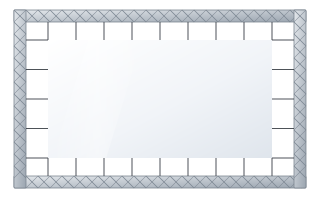
| Frameless | 3–7 m | fixed-frame, frame invisible from the front | theatres, museums, showrooms |
| Cinema | 7–23 m | made-to-measure cinema screen | cinemas, cultural centres, theatres |
If the venue is multi-purpose (lectures, concerts, meetings), the screen should retract – choose a motorised or in-ceiling model. When projection is the main purpose of the room, consider a permanently mounted fixed-frame or cinema screen. You can see all models in the large-format screens category.
Fabric for a large venue
- Vision White (gain 1.2, 180° angle) – a versatile white for darkened and semi-darkened rooms; a wide viewing angle matters in venues with a widely spread audience.
- Vision Acoustik (gain 0.75, 0.5 mm perforation) – when the sound system is to stand behind the screen in commercial venues.
- Vision Macro Acoustik (gain 0.75, 1.3 mm perforation) – cinemas, theatres and very large venues where viewers sit far from the screen.
Max One, Max Inceel and Big One are available with Vision White, Vision Acoustik and Vision Macro Acoustik. Alumid has a wider range, including Reference Grey 2 and Ambient Grey. With acoustic fabrics, remember the lower gain and keep projector brightness in reserve – more in the guide acoustic screen.
Flatness of a large fabric
The larger the roller screen, the greater the risk of ripples at the edges. That is why Max One and Max Inceel have Floating Tab side tensioning, and Alumid is available in a tensioned version. ADEO matches the roller diameter (60–150 mm) to the model and screen size and uses a double-groove roller that prevents horizontal imprints. More on tensioning: Tensio tensioned screen.
Projector and lighting in an auditorium
A large screen needs a bright projector: the same amount of light is spread over an area many times larger than in a classroom. A 6 × 3.375 m image has more than 20 m² – over five times more than a 2.4 × 1.5 m screen in a training room. When choosing the projector, take into account the fabric gain (Vision White 1.2, acoustic fabrics 0.75) and the room lighting during lectures, when the audience needs to take notes.
- A projector mounted at the back of the room needs a lens with a suitable throw ratio – image width = throw distance / throw ratio.
- Lighting above the stage and the speaker should not fall directly on the screen.
- In rooms with large windows, plan for blackout – with wide audiences, narrow-angle ALR fabrics are rarely a good solution.
Installation: brackets, load capacity, structure
A large-format screen weighs many times more than a classroom screen and is mounted several metres up. Before ordering, establish:
- The substrate – reinforced concrete slab, steel structure, stage truss. Each needs different anchors and brackets.
- Brackets – Alumid, Max One and Big One have dedicated mounting kits; Max One kits include chains with carabiners.
- Extensions – when the screen must stand off the wall, the load capacity depends on the extension length, e.g. 300 mm – up to 180 kg, 450 mm – up to 120 kg, 600 mm – up to 90 kg, 750 mm – up to 70 kg per bracket.
- Service access – to the motor and connections, especially with in-ceiling installation.
- Control – in auditoriums the screen is usually operated by the room control system (RS232, dry contact) or a radio remote from the control room.
Mounting and control accessories are in the screen accessories section.
Advice and delivery
Auditoriums, theatres and congress centres rarely match the catalogue one-to-one. Aspect ratio, fabric, mounting height and control depend on the architecture of the venue and the AV system. For such projects ABC Prezentacji provides advice and delivery – get in touch with us. We do not install screens: a large screen is best fitted by an experienced installation team, and the power connection should be made by an electrician. We also handle tenders – see the guide screens in public procurement.
Auditorium checklist
- Measure the distance to the back row and calculate the image height (D/6).
- Check the room height and the position of the stage.
- Decide on an aspect ratio matching the projector (usually 16:9 or 16:10).
- Decide: retractable or fixed screen, with or without a sound system behind the screen.
- Check the supporting structure and suspension method.
- Plan power, control and service access.
Frequently asked questions
Which screen for a 300-seat auditorium?
It depends on the distance to the back row. At 20 m you need an image approx. 3.33 m high, i.e. approx. 5.9 m wide in 16:9 – Max One or Max Inceel fits.
What is the largest ADEO motorised screen?
Big One – image width from 6 to 8.5 m. Larger images are achieved with Cinema screens (7–23 m) or made-to-measure surfaces.
Can speakers be placed behind the screen in an auditorium?
Yes, with an acoustic fabric. In the largest venues Vision Macro Acoustik with 1.3 mm perforation is used.
How high should a screen hang in an auditorium?
The bottom edge of the image is usually approx. 1.2–1.3 m above the floor, higher in halls with a stage. In tall rooms a black top drop above the image is used.
Do you install large screens?
We do not install screens. A large screen is best fitted by an experienced installation team, and the power connection should be made by an electrician. We help with selection, advise on preparing the site and ship at no extra transport cost. Simply submit your project via the business and institutions form.