- Image height = distance to the furthest viewer / 6 for presentations and video, / 4 for spreadsheets, charts and drawings.
- 16:10 suits WUXGA projectors and laptops; 16:9 – when the room also has displays and video conferencing.
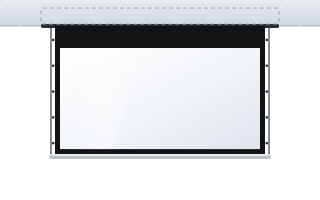
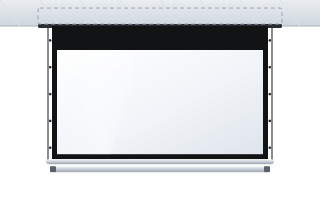
- With a suspended ceiling choose an in-ceiling screen (Inceel, InSuperior); without one – a cased screen, e.g. Rugby Pro.
- The screen can be lowered automatically from the projector or the room control system.
- ABC Prezentacji advises on preparing the site and ships at no extra transport cost; fitting is done by your installer and the power connection by an electrician.
How to calculate the screen size for a conference room
In a conference room the most important thing is legibility from the back seat. The manufacturer of ADEO screens recommends calculating the image height from the distance to the furthest viewer (D):
- H = D / 6 – presentations, photos, video;
- H = D / 4 – spreadsheets, charts, technical drawings, small text.
The image width is the height multiplied by the aspect ratio: 1.6 for 16:10 and approx. 1.78 for 16:9.
| Furthest viewer (D) | H = D/6 | 16:10 width | H = D/4 | 16:10 width |
|---|---|---|---|---|
| 5 m | 0.83 m | 1.33 m | 1.25 m | 2.00 m |
| 6 m | 1.00 m | 1.60 m | 1.50 m | 2.40 m |
| 8 m | 1.33 m | 2.13 m | 2.00 m | 3.20 m |
| 10 m | 1.67 m | 2.67 m | 2.50 m | 4.00 m |
| 12 m | 2.00 m | 3.20 m | 3.00 m | 4.80 m |
Example: a 9 m long room, last chair 8 m from the screen. For presentations an image 1.33 m high is enough (2.13 m wide in 16:10). If the team works with spreadsheets and drawings, a height of 2 m is needed, i.e. a width of 3.2 m. In practice an intermediate value is often chosen, e.g. 2.4–2.7 m wide, together with sufficiently large fonts in presentations.
Also check text legibility: the smallest legible character is approx. 1/150 of the distance. From 8 m a letter should be approx. 5.3 cm high on screen. More examples in the guide how to choose the screen size.
Front row and mounting height
The nearest viewer should sit at least a distance equal to the image width away. The bottom edge of the image is usually approx. 1.1–1.2 m above the floor, so heads in front do not block the content. If the ceiling is high and the screen needs to be lower, order a screen with a black top drop above the image – black drop.
Aspect ratio: 16:10 or 16:9
16:10 is the native format of WUXGA (1920 × 1200) business projectors and most laptops – the presentation fills the whole screen. Choose 16:9 when the room also has displays, a video conferencing system, or you play a lot of video. 4:3 and 1:1 are now used mainly in rooms with older projectors. A comparison of aspect ratios is in the guide on image formats.
Cased screen or in-ceiling screen
| Solution | When | Models |
|---|---|---|
| Motorised screen in a case | no suspended ceiling, upgrading an existing room | Rugby Pro, Linear SE, Basic |
| In-ceiling screen | suspended ceiling, new or refurbished room | Inceel, InSuperior |
| Tensioned screen | boardroom, 4K or UST projector, ALR fabric | OnSuperior, InSuperior |
| Large format | training and lecture rooms, large conference rooms | Rugby Plus |
An in-ceiling screen leaves only a narrow slot when rolled up, but its installation must be planned together with the ceiling contractor – details in the guide in-ceiling screen. In boardrooms, where a perfectly flat image matters, choose a version with side tensioning (Tensio, Floating Tab).
Fabric for a conference room
In darkened or semi-darkened rooms the most common choice is Vision White (gain 1.2, 180° angle) – a bright image and a wide viewing angle, important around a conference table where many people sit off to the side. Vision White Pro (temporarily unavailable) (gain 0.9) has a black back that blocks light from behind the screen – useful when the screen hangs in front of a window. When the room is bright and the projector is at a standard distance, consider grey ALR Ambient Grey 2 fabric – bearing in mind its narrower viewing angle (approx. 60°) and that it requires tensioning. Full overview: projection fabrics.
Control and integration with the room system
A motorised screen in a conference room can be controlled:
- by a wall switch – the simplest solution;
- by a radio (RF) or infrared remote;
- by a 12 V trigger from the projector – the screen lowers by itself when the projector is switched on;
- from the room control system (RS232, dry contact) – one button on the panel starts the projector, lowers the screen and dims the lights.
Interfaces, transmitters and receivers are in the accessories section, and the options are described in the guide motorised screen control.
Screens and video conferencing
- The camera should not face the screen directly – a bright image behind participants makes it harder for the camera to set exposure. The camera is most often mounted above or below the screen or the call display.
- Lighting – participants' faces must be lit, and the screen as little as possible. Lighting zones help: dimmed near the screen, bright over the table.
- Two images – a common setup is a projection screen for the presentation and a display for the remote participants.
Projection screen or display
In small rooms (up to about 6 people) a display is often enough. When the furthest viewer sits 8–10 m from the wall, an image 2.5–3 m wide or more is needed – a size at which a projector and screen is usually the more practical solution, and the screen can be fully retracted when the room is used for other purposes. Wider comparison: projector or TV.
Example room configurations
Meeting room for 8–10 people
Length approx. 6 m, last chair 5 m from the wall. For presentations an image approx. 0.83 m high is enough, but for spreadsheet work approx. 1.25 m (D/4) is better. A sensible choice is a screen approx. 2 m wide in 16:10, e.g. the slim Linear SE in a case, or Inceel if there is a suspended ceiling. Control: 12 V trigger from the projector.
Boardroom
Table for 14–16 people, last seat 8 m from the screen, 4K or ultra-short-throw projector. Image 2.4–2.7 m wide, a side-tensioned screen (OnSuperior in a case or InSuperior in the ceiling), Vision White fabric or – in a bright room with a standard projector – Ambient Grey 2. Control from the room system panel.
Training room for 40 people
Back row 12 m from the screen – image height at least 2 m, i.e. 3.2 m wide in 16:10. Rugby Plus fits. If participants need to read small tables, it is worth adding auxiliary displays in the middle of the room instead of enlarging the screen beyond the room height.
Equipping several rooms
In office buildings, training centres and company headquarters, several room types usually repeat. ABC Prezentacji then prepares a screen schedule for each room, advises on control (remote, wall switch, automation) and ships at no extra transport cost. Get in touch with us. You can configure and buy a single screen straight away in the business configurator.
Common mistakes
- A screen chosen “by eye” – spreadsheets are illegible from the back row.
- A screen aspect ratio different from the projector's – black bars and a smaller image.
- A screen hung too low – heads in the front rows block the bottom of the slide.
- No power or control cable at the mounting point.
- A video conferencing camera pointed at a bright screen.
Frequently asked questions
What size screen for a room for 20 people?
It depends on the distance to the back seat. If the furthest person sits 8 m from the screen, an image approx. 1.33 m high (2.13 m wide in 16:10) is enough for presentations, and approx. 2 m high for spreadsheets and drawings.
What aspect ratio for a conference room screen?
16:10 for WUXGA projectors and presentations from laptops; 16:9 when the room has displays and a video conferencing system.
Can the screen lower itself when the projector is switched on?
Yes – via a 12 V trigger from the projector or a command from the room control system (RS232, dry contact).
In-ceiling or cased screen?
With a suspended ceiling, an in-ceiling screen (Inceel, InSuperior) looks best. Without a suspended ceiling, choose a cased screen, e.g. Rugby Pro.
Do you install screens for businesses?
We do not install screens. Your screen is best fitted by an experienced installer, and the power connection (motorised screens) should be made by an electrician. Every screen comes with the manufacturer's mounting instructions, and before you order we will advise you on how to prepare the site – the ceiling recess, power supply and control.