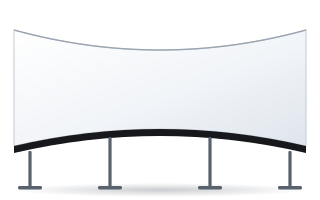
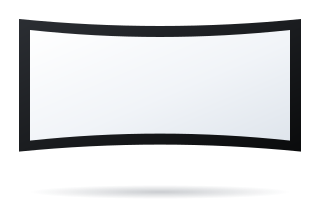
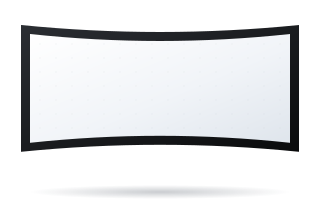
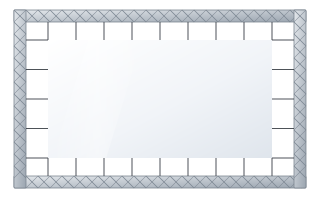
- Round is a cylindrical screen with a diameter of 2 to 20 m and a wrap angle from 30° to a full 360°.
- The structure is a 108 × 32 mm profile covered with fabric held by special springs, in matt black.
- Installation can be temporary (a set of pedestals) or permanent (anchored to the floor); optional stands raise the screen up to 50 cm or 51–100 cm.
- Projecting onto a circular surface usually requires several projectors, edge blending and geometry correction.
- When an arc with moderate curvature is enough, Frameless Curved, Plano Curved or Cinema Curved are simpler alternatives.
What the Round screen is
Round is a fixed-frame screen in the shape of a cylinder or a segment of one. The manufacturer designed it for immersive projection, in which the image surrounds the viewer and fills most of their field of view. Typical applications named by the manufacturer are:
- museums and historical exhibitions,
- education and science content,
- flight simulators,
- video games and interactive entertainment.
Unlike an ordinary curved screen, which bends gently towards the audience, Round can form a full circle. Viewers then stand in the middle, with the image surrounding them on all sides.
Specifications and construction
| Parameter | Value |
|---|---|
| Diameter | 2–20 m |
| Wrap angle | 30–360° |
| Profile | 108 × 32 mm, covered with fabric, matt black |
| Fabric fixing | special springs |
| Temporary installation | set of pedestals |
| Permanent installation | anchored to the floor |
| Options | stands raising the screen up to 50 cm or 51–100 cm above the floor, black bottom skirt down to the floor |
The 108 × 32 mm profile has the same cross-section as in Frameless screens. It is hidden under the fabric, so no frame is visible on the surface and the image can run uninterrupted around the entire circumference.
The stands raise the bottom edge of the screen above the floor. This makes sense when viewers are standing and the lower part of the image would be blocked by people. The black bottom skirt closes the gap between the screen and the floor so that the background and the structure's legs are not visible.
Segment or full circle
The wrap angle defines the character of the installation.
- 30–90° – a wide arc in front of the audience. It resembles a curved cinema screen with stronger curvature. Viewers sit or stand on one side.
- 120–270° – the image wraps around the viewer at the front and sides. This is how flight and driving simulators are built, where peripheral vision matters.
- 360° – a full panorama. Viewers stand in the middle and can turn around. The entrance then has to be planned beneath the screen or through a gap in the circumference.
Projecting onto a circular screen – what to plan
The manufacturer provides the screen's specifications but does not describe the projector layout. The principles below are general practice for immersive installations and are worth knowing before talking to an integrator.
- Several projectors. A single projector covers only a segment of the circumference. At large angles the image is made up of several projections placed side by side.
- Edge blending. Adjacent projections overlap at the edges, and software or a processor fades the brightness in the overlap zone. As a result, no brighter bands are visible.
- Geometry correction (warping). The projector's image is flat, while the screen is concave. Without correction, straight lines appear bent.
- Short projection distance. With a full circle, the projectors usually hang in the middle, above the viewers. The distance to the screen is then less than the radius, so lenses with a low throw ratio are needed. You can calculate the width of a segment with the formula: width = distance ÷ throw ratio.
- Content at the right resolution. The material must be prepared for the panorama's total width and proportions.
How much surface a circular screen has – examples
The image width on a circular screen is the arc length. You can calculate it with the formula: arc length = π × diameter × angle ÷ 360°. This value determines the number of projectors and the content resolution.
| Diameter | Wrap angle | Arc length (image width) |
|---|---|---|
| 4 m | 360° | approx. 12.57 m |
| 8 m | 180° | approx. 12.57 m |
| 10 m | 120° | approx. 10.47 m |
| 12 m | 90° | approx. 9.42 m |
| 20 m | 360° | approx. 62.83 m |
A full circle with a diameter of 4 m therefore has as much image as a semicircle with a diameter of 8 m. What differs is the viewer's experience and the space for projectors. With a small diameter, the projectors are close to the screen and viewers stand close to the image, so the content resolution must be high. With a large diameter you gain space, but you need brighter projectors because the light is spread over a larger surface.
Fabric and reflections inside the cylinder
On a concave surface, light reflected from one part of the screen falls on the opposite part and brightens it. With a full circle this effect is more pronounced than with an arc. In practice it reduces contrast, especially in dark scenes. A high gain concentrates light in a narrower angle and can increase brightness variations between the positions from which viewers are watching. It is worth discussing the choice of fabric for a specific diameter and projector layout before ordering.
Simpler alternatives: curved fixed-frame screens
Not every installation needs a cylinder. If the image is to wrap gently around the audience rather than surround the viewer completely, check out the curved fixed-frame screens in our shop.
| Model | Image width | Aspect ratios | Applications |
|---|---|---|---|
| Plano Curved | 1800–4000 mm | 4:3 to 2.40:1 | premium home cinema, screening rooms, simulators |
| Frameless Curved | 2000–6000 mm | 16:9 and 2.35:1 to 2.40:1 | simulators, immersive rooms, museum installations |
| Cinema Curved | 7000–23000 mm | 1.78:1 to 2.40:1 | cinemas, immersive rooms, large AV installations |
These models are served by a single projector or a pair of projectors. They have a ready-made configuration in the shop and are much simpler to install than a full cylinder. We discuss the differences between flat and curved screens in our guide curved or flat screen, and you will find all models in the curved screens category.
Light and the installation's surroundings
An immersive screen works best in a darkened room. Any light source inside the cylinder, such as emergency lighting or device displays, reflects on the surface and reduces contrast. Plan aisle lighting so that it shines onto the floor, not onto the screen. The matt black profile and black bottom skirt help to hide the structure, but they are no substitute for darkening the room. In a museum it is also worth providing a transition zone before the entrance, where viewers' eyes can adjust to the darkness.
How to prepare for a project with a Round screen
- Determine whether viewers sit or stand, how many there are and where they enter.
- Choose the wrap angle and diameter to suit the size of the room.
- Decide whether the installation is permanent (floor anchoring) or temporary (pedestals).
- Set the height of the bottom edge above the floor and whether a black skirt is needed.
- Plan projector positions, their power and cabling, and the edge-blending system.
- Prepare or commission content at the panorama's target resolution.
You cannot configure the Round screen in the shop's standard flow. You will find the model in the configurator for business & institutions – ADEO Round – with the price shown straight away. ABC Prezentacji also provides advice on preparing the site and ships at no extra transport cost – get in touch with us.
Frequently asked questions
How large can a Round screen be?
The manufacturer specifies a diameter of 2 to 20 m and a wrap angle from 30° to a full 360°.
Can a circular screen be installed temporarily?
Yes. A set of pedestals is used for temporary installation, while a permanent installation is anchored to the floor.
How many projectors does a 360° screen need?
The manufacturer does not specify this, as it depends on the diameter, resolution and lenses. In practice, a full circle requires several projectors with edge blending and geometry correction.
How does Round differ from a curved screen?
Curved fixed-frame screens such as Frameless Curved or Cinema Curved have a gentle arc in front of the audience and standard aspect ratios. Round can form a full circle around the viewer and is designed for immersive projection.
Is the Round screen available in the shop configurator?
Yes. You can select ADEO Round in the configurator for business and institutions (mounting: fixed-frame screen) – with an arc length from 2 to 10 m, aspect ratio, fabric, black bottom skirt and floor stands. You will see the price straight away.