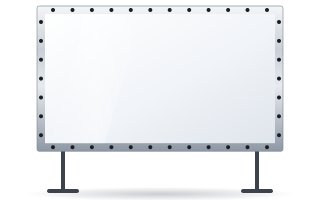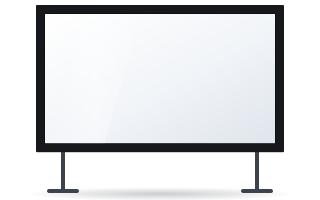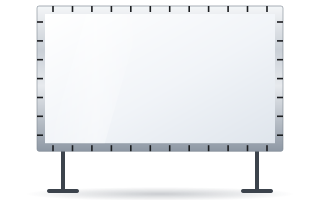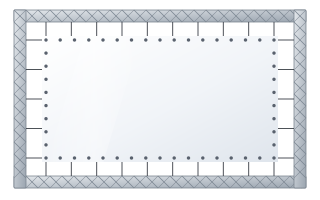
- Folding FramePro frames give an image approx. 1.8–5.8 m wide, with the fabric attached by snap buttons or elastic cords.
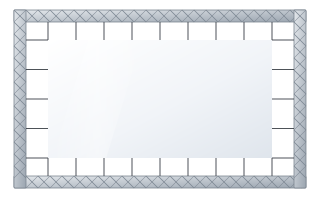
- Easy and Eyelets surfaces are made to measure, from 2 to 10 m wide, and attached to a truss or frame.
- Vision Fold 2 fabric is flexible and crease-resistant, while Vision Fold Rear 2 is for rear projection.
- Match the image size to the distance of the back row – image height approx. 1/6 of that distance.
What an event screen needs
A screen in a hotel function room, on a conference stage or at a trade fair works in completely different conditions from a permanently installed screen. It is folded, transported and set up again and again by different crews, often in a hurry. That is why the key selection criteria are:
- speed of assembly – the frame and fabric must go together in a few to a dozen or so minutes without special tools,
- fabric durability when folded and creased,
- image flatness – fabric stretched on the frame must not ripple,
- front and rear projection – on stage, the projector is often behind the screen,
- compatibility with the truss and stands the company already uses.
Folding FramePro frames
FramePro is a fixed-frame screen with a folding aluminium frame over which the fabric is stretched. ADEO offers four variants, differing in how the fabric is attached and in the projection direction.
| Model | Fabric attachment | Projection | Image width |
|---|---|---|---|
| FramePro Front Buttons | snap buttons | front | approx. 1.8–5.8 m |
| FramePro Rear Buttons | snap buttons | rear | approx. 1.8–5.8 m |
| FramePro Front Elastic | elastic cords | front | 2–3.5 m |
| FramePro Rear Elastic | elastic cords | rear | approx. 1.8–5.8 m |
FramePro frames are available in 4:3, 16:10, 16:9 and 2.35 and 2.40:1, and the Rear Elastic version also in 2.37 and 2.39:1. For corporate events and conferences 16:9 is the most common choice, as most projectors and video content use this format.
Snap buttons or elastic cords
Fabric attached with snap buttons fastens to the frame at fixed points – assembly is quick and repeatable, which rental crews appreciate on frequent jobs. With elastic cords, the fabric is stretched using elastic loops – even tension around the whole perimeter helps flatness, and the Elastic versions offer a wider range of fabrics. The choice depends on whether speed or matching the surface to specific conditions matters more.
Fabrics for rental and events
The snap-button versions use fabrics from the Fold series, designed for folding:
- Vision Fold 2 – white, flexible, crease-resistant, for front projection. The typical choice for rental companies and event organisers.
- Vision Fold Rear 2 – grey surface for rear projection (gain approx. 0.6), used on stages and at trade fairs.
The elastic-cord versions can take other fabrics: FramePro Front Elastic includes Vision White Pro (temporarily unavailable), Ambient Grey 2 and Ambient Grey, while FramePro Rear Elastic also offers the double-sided Vision Rear DB and acoustic fabrics, among others. Remember that fabrics intended for permanent installations are not designed for frequent folding – in rental, it is better to stick to the Fold series. A comparison of all surfaces is in the guide how to choose a projection fabric.
Easy and Eyelets quick-assembly surfaces
When you need an image larger than a folding frame allows, or a non-standard size for a particular stage, quick-assembly projection surfaces are the answer. This is fabric made to measure, without its own frame, attached to a truss, stage frame or the building structure.
- Easy – elastic cord attachment, width from 2 to 10 m.
- Eyelets – eyelets around the perimeter through which elastic cords are threaded; width from 2 to 10 m.
Both surfaces can be ordered in aspect ratios from 1:1 to 2.40:1 (including 1.89:1) and with front-projection, rear-projection and acoustic fabrics. For the eyelet surfaces, sets of elastic cords 20, 35 and 50 cm long are available, 20 per pack. Longer cords give more adjustment margin when the structure is slightly larger than the surface.
Front or rear projection on stage
Front projection is simpler – the projector stands or hangs in front of the screen, and all the space behind the screen stays free. It has one drawback, though: a presenter who walks up to the screen steps into the beam and casts a shadow. Rear projection solves this problem and hides the projector from the audience, but requires free space behind the screen – its depth depends on the projector's throw ratio. All the rules are described in the guide rear projection.
What size of screen for an event
Apply the manufacturer's rule for presentations and video: image height is approx. 1/6 of the distance to the furthest viewer. Example: a banqueting hall where the last table is 18 m from the screen. Image height: 18 m ÷ 6 = 3 m; width in 16:9: 3 m × 1.78 ≈ 5.3 m. Such an image fits within the FramePro range. When the screen is to show tables and detailed charts, calculate the height as 1/4 of the distance – the image then grows to 4.5 m in height and an Easy or Eyelets surface is the better choice. More calculations in the guide how to choose the screen size.
In large rooms, also consider two smaller screens on either side of the stage instead of one very large one – this improves visibility from the side seats and leaves the centre of the stage for the presenter.
Mounting: stands, truss, suspension
- Floor stands – adjustable legs for FramePro and Plano screens allow the bottom edge of the frame to be set at a height of approx. 152–284 cm. This is the quickest solution in a hotel function room.
- Truss – sets of clamps for attaching fixed-frame screens to legs or a truss (maximum internal diameter 45 mm).
- Suspension – ceiling brackets for fixed-frame screens, including the rear-projection versions of FramePro.
- Motorised screens on a truss – for semi-permanent installations, clamp sets are available for mounting a motorised screen on a truss (for screens up to 2570 mm overall width and from 3071 to 4570 mm).
The available parts can be found in the screen accessories section. When suspending anything above an audience, always use safety fixings and follow the safety rules in force at the venue.
Transport, storage and fabric care
The lifespan of an event screen depends largely on how it is packed. Always fold the fabric the same way, in a clean place, without touching the projection surface with dirty hands. Protect the frame parts from knocks – a bent profile makes it harder to tension the fabric evenly. Store the screen in a dry room. Cleaning details are described in the guide screen cleaning and maintenance.
Checklist for a rental company
- Which image widths are ordered most often – are FramePro frames enough, or are Easy/Eyelets surfaces needed?
- Which aspect ratio covers most jobs (usually 16:9)?
- How many jobs require rear projection?
- Does the crew work more often with stands or with truss?
- Are spare fabrics or different surfaces for one frame needed?
Equipping a rental store, hotel or conference centre with several screens? Contact us – we will help you put the right set together.
Frequently asked questions
Which screen should I choose for a hotel conference?
Most often a folding FramePro frame in 16:9 with Vision Fold 2 fabric, set on adjustable legs. It is quick to assemble and gives a flat image.
What is the difference between FramePro Buttons and FramePro Elastic?
In the Buttons version the fabric is attached to the frame with snap buttons, in the Elastic version with elastic cords. The Elastic versions offer a wider range of fabrics.
How large can a quick-assembly screen be?
Easy and Eyelets surfaces are made to measure and can have an image width from 2 to 10 m.
Is an event screen suitable for rear projection?
Yes, there are FramePro Rear Buttons and Rear Elastic versions as well as rear-projection fabrics such as Vision Fold Rear 2 and Vision Rear DB.
At what height should a screen on stands be set?
Adjustable legs for FramePro and Plano allow the frame to be set at approx. 152–284 cm. Set the bottom edge of the image so that the heads of the front-row audience do not block it.