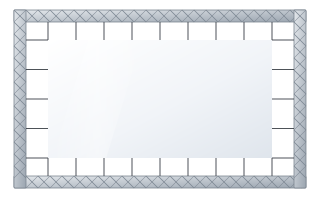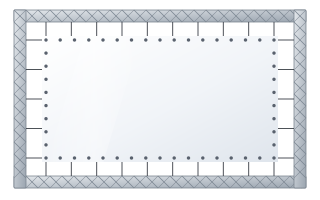
- Rear projection eliminates presenter shadows and hides the projector, but needs free space behind the screen.
- The depth of this space is roughly image width × throw ratio.
- The image has to be flipped horizontally – projectors have a rear-projection mode in the menu for this.
- Vision Rear DB works from the front and the rear (gain 0.6 / 0.8), while Vision Fold Rear 2 is for event frames.
How rear projection works
In classic front projection the projector and the audience are on the same side of the screen, and the image is reflected from a matte surface. In rear projection the projector is behind the screen and shines through a fabric that diffuses the light towards the audience. The screen works like a sheet of frosted glass on which the image appears.
This set-up requires a surface designed specifically for the purpose. An ordinary white fabric would let too little light through, and a fabric with a black back, such as Vision White Pro (temporarily unavailable), would not let any through at all.
When rear projection is worth choosing
- Stage and conferences – the presenter can stand by the screen and point at content without casting a shadow or being dazzled by the projector.
- Trade fairs and exhibitions – the projector is hidden behind the stand structure, does not get in the way of visitors and is protected from unauthorised access.
- TV and recording studios – the projector stays out of shot and people in the studio do not cross the beam.
- Museums and installations – the screen can be part of the set design, with the equipment in a technical room.
- Rooms with nowhere to hang a projector in front of the audience, but with free space behind the screen wall.
If there is no room behind the screen and shadows are the only problem, front projection from a short-throw or ultra-short-throw projector can be an alternative.
How much space is needed behind the screen
The depth of the space behind the screen follows the same formula as in front projection: throw distance = image width × throw ratio. You will find the throw ratio in the projector's technical data; for zoom lenses it is given as a range.
| Image width | Throw ratio 0.8 | Throw ratio 1.2 | Throw ratio 1.6 |
|---|---|---|---|
| 2.0 m | 1.6 m | 2.4 m | 3.2 m |
| 3.0 m | 2.4 m | 3.6 m | 4.8 m |
| 4.0 m | 3.2 m | 4.8 m | 6.4 m |
| 5.0 m | 4.0 m | 6.0 m | 8.0 m |
Add the depth of the projector itself, room for cables and service access. Example: a 3 m wide image and a projector with a throw ratio of 1.2 need approx. 3.6 m from the screen to the lens, and in practice approx. 4–4.3 m of free space. A short-throw projector (throw ratio below 1) shortens this distance considerably and is often chosen for stages and exhibition stands. Detailed calculations are described in the guide how to match a screen to a projector.
Mirrors – when space is short
When there is too little room behind the screen, a mirror set-up is used: the projector shines onto a mirror, which reflects the image onto the screen. The beam is “folded”, so the same light path fits into a shallower space. This solution does, however, require care:
- front-surface mirrors are used, which do not produce a double reflection,
- the mirror must be rigidly mounted – even a slight movement shifts and distorts the image,
- every mirror flips the image, so the orientation is set in the projector menu (image flipped horizontally and/or vertically),
- the geometry of the set-up should avoid heavy keystone correction, which reduces sharpness.
Mirror set-ups are usually designed individually for a specific stage or installation.
Flipping the image in the projector
The viewer looks at the screen from the opposite side to the projector, so without correction the image would be a mirror image – text reading right to left. The manufacturer of Vision Rear DB stresses that switching from front to rear projection only requires flipping the image in the projector. Most projectors have a menu setting such as “rear projection” or “rear – table/ceiling”.
Rear-projection fabrics
| Fabric | Gain | Features | Application |
|---|---|---|---|
| Vision Rear DB | 0.6 front / 0.8 rear | front and rear projection, very wide viewing angle | permanent installations, studios, stages, exhibitions |
| Vision Fold Rear 2 | 0.6 | grey, for folding frames | rental, events, trade fairs |
Vision Rear DB is versatile: the same screen can work with a projector in front at one time and behind at another. It is available in many motorised screens (including Basic, Linear SE, Rugby Pro, Rugby Plus, Alumid, Inceel, OnSuperior), in the Plano fixed-frame screen and in quick-assembly surfaces. Vision Fold Rear 2 is a grey fabric designed for folding FramePro frames and rental use, resistant to repeated folding.
Gain and hot spot in rear projection
In rear projection, gain describes how much light the fabric transmits and diffuses towards the audience. A surface with high on-axis transmission gives a bright image straight ahead but may show a hot spot – a bright patch where the projector lens “shows through”. Fabrics with moderate gain and a wide angle, such as Vision Rear DB, diffuse light more evenly, so the image is uniform from the sides of the room too. More about this effect in the guide screen gain and viewing angle.
The grey colour of a rear-projection fabric helps contrast: light coming from the audience side is partly absorbed instead of washing out the blacks.
Light behind and in front of the screen
- Behind the screen it should be as dark as possible – any light source in the projector space shows through the fabric. Black it out with a curtain or enclosure, and ideally keep the walls and ceiling of that space dark.
- In front of the screen, rear projection copes with moderate light better than many front-projection screens, because light from the audience is not fully reflected by the fabric. Still, do not point stage lights directly at the screen.
Which screen to choose for rear projection
- Events and rental – folding FramePro Rear Buttons frames (fabric on snap buttons) or FramePro Rear Elastic (fabric on elastic cords), image width approx. 1.8–5.8 m. More in the guide screens for events and rental.
- Large stages and non-standard sizes – an Easy or Eyelets surface made to measure, from 2 to 10 m wide, attached to a truss or frame.
- Permanent installations – a Plano fixed-frame screen with Vision Rear DB fabric, or a motorised screen with this fabric when the screen needs to retract.
Remember that in rear projection both sides of the screen are visible – with frames, make sure the structure and fixings cannot be seen from the audience side, and with a motorised screen, that the case and its mounting do not get into the projector beam. You can compare all fabrics on the projection fabrics page.
Rear-projection project checklist
- Set the image width and aspect ratio.
- Check the projector's throw ratio and calculate the depth of the space behind the screen.
- If space is short – consider a short-throw projector or a mirror set-up.
- Choose the fabric: Vision Rear DB (permanent installations, works in both directions) or Vision Fold Rear 2 (events).
- Plan the blackout of the space behind the screen.
- Set the projector to rear-projection mode.
Frequently asked questions
How much space is needed behind the screen for rear projection?
The distance from the lens to the screen is the image width multiplied by the projector's throw ratio, e.g. 3 m × 1.2 = 3.6 m. Add the depth of the projector and service space.
Can any screen be used for rear projection?
No. You need a rear-projection fabric, e.g. Vision Rear DB or Vision Fold Rear 2. Ordinary white and grey fabrics are designed for front projection.
How do I flip the image for rear projection?
Select rear-projection mode in the projector menu – the image will be mirrored horizontally and text will read correctly for the audience.
Does Vision Rear DB also work from the front?
Yes. Vision Rear DB has a gain of 0.6 in front projection and 0.8 in rear projection, so the same screen can work in both set-ups.
Can a mirror be used for rear projection?
Yes, a mirror reduces the depth of space required. It must be rigidly mounted, and the image orientation is set in the projector.