

ADEO motorised projection screens
A motorised screen rolls back into its case when the projection ends, so it takes up no wall space. It is the most popular type of screen for conference rooms, schools and living rooms. The motor is operated by a wall switch, a remote control or the room's control system.

Models in this category: motorised screens
Prices incl. VAT (and excl. VAT) from the smallest size. Every screen is made to measure – choose the size, aspect ratio and fabric in the configurator.
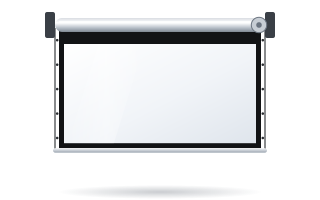
ADEO Basic
An affordable caseless motorised screen – a sensible choice for classrooms, training rooms, offices and the home.
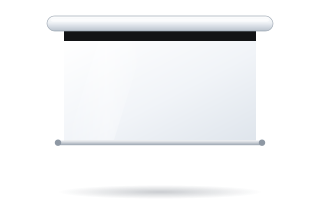
ADEO Linear SE
A slim, minimalist case – a motorised screen that looks good in a living room and in small meeting rooms.

ADEO Rugby Pro
Our most popular motorised screen for conference rooms – a robust case, quiet operation and a wide choice of fabrics.
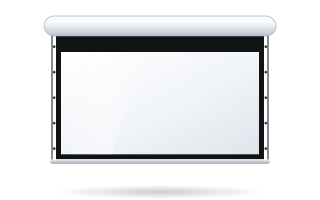
ADEO Rugby Plus
A reinforced Rugby for larger sizes – lecture rooms, auditoriums and large conference rooms.
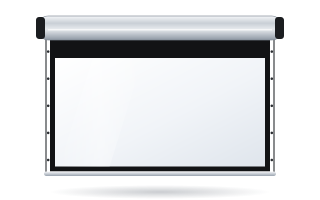
ADEO Alumid
A motorised screen for large rooms and auditoriums – an image 3.5–4.5 m wide in a robust aluminium case.
Model comparison: Motorised screens
Image width, aspect ratios and price from the smallest size (incl. VAT). Every screen is made to measure.
| Model | Image width | Aspect ratios | Price from (incl. VAT) |
|---|---|---|---|
| ADEO Basic Motorised screen | 2.0 – 6.5 m | 1:1, 4:3, 16:10, 16:9, 1.85:1 | 2 808 PLN |
| ADEO Linear SE Motorised screen | 1.8 – 4.0 m | 1:1, 4:3, 16:10, 16:9 | 2 592 PLN |
| ADEO Rugby Pro Motorised screen | 1.6 – 4.5 m | 1:1, 4:3, 16:10, 16:9, 1.85:1 | 2 738 PLN |
| ADEO Rugby Plus Motorised screen | 1.6 – 4.5 m | 1:1, 4:3, 16:10, 16:9, 1.85:1 | 3 124 PLN |
| ADEO Alumid Large-format motorised screen | 3.5 – 4.5 m | 1:1, 4:3, 16:10, 16:9, 1.85:1 | 5 315 PLN |
Questions about Motorised screens
Which motorised screen is best for a conference room?
For everyday use, most customers choose the Rugby Pro (1.58–4.5 m, with a black border or Tensio Classic tensioning). The Rugby Plus has aluminium end caps, quiet operation and acoustic fabrics. The Basic is an economical caseless screen 2–6.5 m wide, and the Linear SE has a slim case and a 1.8–4 m width.
What is the difference between a bordered and a tensioned screen?
A border is a black frame around the image that improves perceived contrast and makes image alignment easier. Tensio side tensioners pull the fabric taut along its full height, so the surface is flat and wave-free – important with 4K and ultra-short-throw projectors and ALR fabrics.
How can a motorised screen be controlled?
A motorised screen can be operated with a wall switch, a remote, a 12 V trigger from the projector (the screen lowers when the projector is switched on) or from the room control system. Available options depend on the model – see the guide to motorised screen control.
How to choose?
Not sure which model to pick? Read how to choose a projection screen and how to choose the screen size, or call us: +48 22 848 15 01.
Guides for this category
Before you choose a model – answers to the most common questions.