- For documents, tables and maps, make the image height 1/4 of the distance to the furthest viewer – not 1/6 as for a typical presentation.
- The smallest legible character is about 1/150 of the viewing distance – from 12 m that means letters about 8 cm high on screen.
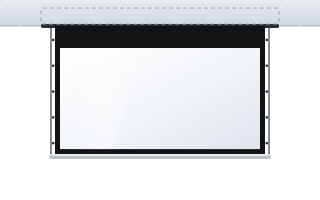
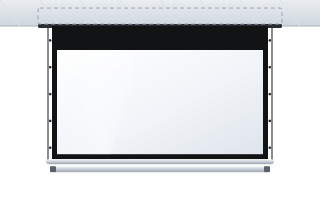
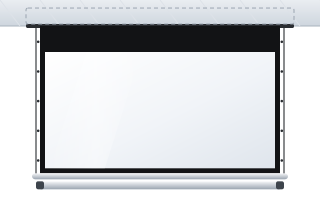
- In tall, formal rooms, in-ceiling screens and the OnSuperior and InSuperior with a black top drop of up to 140 cm work well.
- A motorised screen can be connected to the room control system via an RS232 interface or a 12 V trigger from the projector.
- Check the fabric's fire rating in the manufacturer's catalogue and ask for a current declaration – tender specifications usually require one.
How a council chamber differs from an ordinary meeting room
A municipal, district or regional council chamber serves several purposes at once. It hosts sessions, votes, project presentations, meetings with residents and often ceremonies too. For the screen, this means a few specific requirements:
- Dense content – draft resolutions, budget tables, zoning plans, maps. These are not slides with three bullet points.
- Viewers sit far away – councillors at their desks, with the public and press behind them. The distance to the back row can be considerable.
- A formal interior – high ceilings, plasterwork, the national emblem, wood panelling. The screen should disappear when not in use.
- The room runs on an AV system – sound reinforcement, a voting system, live streaming of sessions. It makes sense to integrate the screen into the same control system.
General principles for meeting rooms are covered in our guide screens for conference rooms. Here we focus on what sets council chambers and public offices apart.
How big a screen for a council chamber – the maths
The manufacturer of ADEO screens gives two rules for professional applications. Image height H is calculated from the distance D to the furthest viewer:
- H = D / 6 – presentations and video,
- H = D / 4 – charts, tables and technical drawings, i.e. most of what is shown during a session.
To get the width, multiply the height by the aspect ratio (1.6 for 16:10, 1.78 for 16:9). In addition, the smallest legible character should be about 1/150 of the viewing distance.
| Distance to back row | Presentations (D/6), 16:10 | Documents and tables (D/4), 16:10 | Smallest character (D/150) |
|---|---|---|---|
| 9 m | 1.5 × 2.4 m | 2.25 × 3.6 m | approx. 6 cm |
| 12 m | 2.0 × 3.2 m | 3.0 × 4.8 m | approx. 8 cm |
| 15 m | 2.5 × 4.0 m | 3.75 × 6.0 m | approx. 10 cm |
As you can see, in a large room the D/4 rule leads to very large screens. In practice there are three solutions:
- A larger main screen – if the room height allows, choose a width closer to the D/4 result.
- Better-prepared material – larger fonts, fewer table columns, zooming in on parts of a map. This is the cheapest way to improve legibility.
- Two screens – one on each side of the presiding table, showing the same image. This shortens the distance from the screen to the outermost seats.
The 16:10 aspect ratio suits documents and presentations from a computer. A 16:9 image is useful if films or session streams are shown often. The formulas are explained in detail in our guide how to choose screen size.
Mounting height and the front row
The manufacturer recommends that the nearest viewer sits at least one image width from the screen and that the upward viewing angle from their eyes to the centre of the screen does not exceed about 15°. In a council chamber the seats closest to the screen usually belong to councillors or the presiding panel – for them, a screen hung just below a high ceiling would be tiring.
The answer is a black band above the image, known as a black top drop. The image starts lower while the case stays high up by the ceiling. The available range depends on the model:
| Model | Installation | Black top drop (manufacturer data) |
|---|---|---|
| Inceel | recessed in a suspended ceiling | 5–45 cm |
| InSuperior | in-ceiling, Floating Tab tensioning | 5–140 cm |
| OnSuperior | wall or ceiling, Floating Tab tensioning | 5–140 cm |
| Max Inceel | in-ceiling, image 4.7–6.5 m | 10–20 cm (tensioned version) |
The manufacturer positions the OnSuperior as a screen for very tall walls and ceilings – precisely so that the image can be brought down to the viewers. Read more in our guide black top drop and high ceilings.
In the ceiling or on the wall?
In formal rooms, in-ceiling installation is the most common choice. When the Inceel is rolled up, only a narrow slot is visible and the room looks as it did before the AV system went in. If the room has a suspended ceiling or is being refurbished, this is usually the best way to go.
- Inceel – image 1.8–4 m, for medium-sized rooms.
- InSuperior – image 2–4.5 m, a taut, flat fabric and a long black top drop. The manufacturer lists it among screens for boardrooms and council chambers.
- Max Inceel – image up to 6.5 m, for large plenary halls. According to the distributor it can be installed before or after the ceiling is closed.
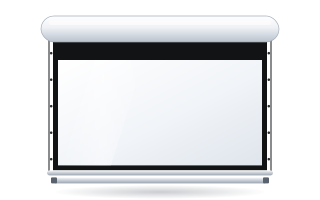
Where the ceiling is fixed (e.g. a historic ceiling), choose a cased screen for wall or ceiling mounting: the OnSuperior or Rugby Pro. Concealed cases and the requirements for the ceiling contractor are discussed in our guide in-ceiling screens.
A flat fabric for tables and maps
With fine tables and map lines, every ripple in the fabric shows. Side-tensioned screens (Tensio) keep the surface flat, which matters especially for wide screens and high-resolution projectors. The OnSuperior and InSuperior come with the Floating Tab tensioning system as standard; the Inceel and Rugby Pro are available in a Tensio Classic version.
Match the fabric to the lighting in the room. In bright rooms with large windows, a white fabric with a higher gain gives a brighter image. In rooms with controlled lighting, Reference White 2 with a gain of 0.9 and a wide viewing angle works well – important for councillors seated at the sides.
Controlling the screen with the room system
In a council chamber the equipment is usually operated by a member of the council office or an IT technician. The screen should not need its own separate remote. The options are:
- a wall switch – the simplest, within reach of the operator's desk,
- a radio remote – convenient when operators sit in different places,
- a 12 V trigger – the screen lowers when the projector is switched on,
- an RS232 interface – the screen is controlled from the room's central system, together with the projector, sound and lighting.
Details are in our guide controlling a motorised screen.
Fire ratings and handover documents
A council chamber is a public building, so the client often asks about the fabric's reaction-to-fire class. The manufacturer lists the classes in its fabric catalogue, e.g. Reference White 2 and Reference Grey 2 – B-s2,d0, Vision White – M2, Vision White Pro (temporarily unavailable) – M1. Every screen carries the CE mark. The current declaration for a specific fabric is issued by the manufacturer, and that is the document to include in the handover file. For a fuller discussion, see our guide fire ratings of projection fabrics.
Public procurement – what to put in the specification
Public offices usually buy screens through public procurement. The description of the contract should specify parameters rather than a brand: image dimensions, aspect ratio, mounting type, black top drop length, fabric type, gain, tensioning method, control and fire rating. A sample description and the rules on equivalence are covered in our guide screens in public procurement.
Council chamber checklist
- Distance to the back row of councillors and the public.
- Type of content: documents and maps (D/4) or mainly presentations (D/6).
- Room height and space for the case: suspended ceiling, structural ceiling, wall.
- Black top drop needed to bring the image to eye level.
- Control method and integration with the room system.
- Required fire rating of the fabric and handover documents.
- Installation date outside the session calendar.
ABC Prezentacji ships screens at no extra transport cost throughout Poland and also handles tenders. Fitting is done by your installer and the power connection by an electrician – we will advise you on preparing the site. You can check the price of any configuration straight away in the Configurator for business & institutions.
Frequently asked questions
How big a screen for a council chamber 12 m deep?
For presentations, an image about 2 m high is enough (16:10: about 3.2 m wide). For tables and maps the manufacturer recommends a height of 1/4 of the distance, i.e. about 3 m – in that case it is often better to enlarge the font or use two screens.
Which ADEO screen is best concealed in a council chamber ceiling?
For suspended ceilings there are the Inceel (image 1.8–4 m), the InSuperior with Floating Tab tensioning (2–4.5 m) and the Max Inceel for large halls (up to 6.5 m).
How do I lower the image in a tall room?
Choose a screen with a black top drop. On the Inceel it can be ordered in the 5–45 cm range, on the OnSuperior and InSuperior 5–140 cm.
Can the screen be controlled from the room system?
Yes. The screen motor can be connected to an RS232 interface or a 12 V trigger from the projector, or operated by radio remote or wall switch.
What fire ratings do ADEO fabrics have?
It depends on the fabric – the manufacturer's catalogue lists, among others, B-s2,d0, M1 and M2. The current declaration for the chosen fabric is issued by the manufacturer.