- A 98-inch interactive display has an image of about 2.17 × 1.22 m – still smaller than a typical classroom or conference room screen.
- Work out image size from the distance to the back row: height = D/6 for presentations, D/4 for tables and charts.
- A display wins on brightness (typically 350–450 cd/m²), touch and working with the lights on.
- A screen wins on size – it can be made to measure for the room, including over 4 m wide.
- In many rooms the best set-up is both: a display for close-up work and a screen for a large image the whole room can see.
Two different tools
An interactive display is a large touchscreen with a built-in computer and whiteboard software. A projection screen with a projector is a way of getting a very large image. Both show content from a computer, but they serve different purposes. Rather than asking which is better, ask what needs to happen in the room.
| Criterion | Interactive display | Screen + projector |
|---|---|---|
| Image size | typically 55–98 inches; at 98″ approx. 2.17 × 1.22 m | made to measure, e.g. ADEO motorised screens from about 1.6 m to 6.5 m wide, large-format screens even larger |
| Brightness | typically 350–450 cd/m² | depends on the projector, screen size and fabric gain |
| Working with the lights on | very good | requires matching the projector and fabric to the lighting |
| Touch and interaction | yes – writing, dragging, group work | no (the screen is passive) |
| Video conferencing | some models have video conferencing features | requires a separate camera and system |
| Appearance when off | a black panel on the wall | a motorised screen retracts into its case or the ceiling |
The display data comes from the range of a distributor of displays available in Poland (sizes 55–98″, 4K resolution, brightness 350–450 cd/m²). Individual models may differ.
Image size – the room decides
The manufacturer of ADEO screens recommends an image height of 1/6 of the distance to the furthest viewer for presentations and films, and 1/4 for tables, charts and drawings. Compare that with the image height of displays:
| 16:9 display | Image dimensions | Meets D/6 up to | Meets D/4 up to |
|---|---|---|---|
| 65″ | approx. 144 × 81 cm | approx. 4.9 m | approx. 3.2 m |
| 75″ | approx. 166 × 93 cm | approx. 5.6 m | approx. 3.7 m |
| 86″ | approx. 190 × 107 cm | approx. 6.4 m | approx. 4.3 m |
| 98″ | approx. 217 × 122 cm | approx. 7.3 m | approx. 4.9 m |
A school classroom is often 8–9 m long. At 9 m, the D/6 rule calls for an image 1.5 m high – more than a 98″ display provides. For material with small text (D/4) you need about 2.25 m of height – no interactive display can deliver that. A 16:10 screen 2.4 m wide is 1.5 m high and meets the D/6 rule for the whole classroom.
On top of that, the smallest legible character is about 1/150 of the distance. From the back desk in a 9-metre classroom, letters should be about 6 cm high. On a display, that means zooming in heavily on the content. More in our guide how to choose screen size, and inches are converted in the diagonal size table.
Brightness and room lighting
A display emits its own light and at 350–450 cd/m² copes well in a bright room. The brightness of a projected image can be estimated with the formula: luminance ≈ lumens × gain ÷ (π × area). Example: a 4000 lm projector on a 2.4 × 1.5 m screen with Vision White fabric (gain 1.2) gives about 420 cd/m² – comparable with a display. On a 3.2 × 2.0 m screen with a 4500 lm projector you get about 270 cd/m² – less, but on an image several times larger.
In practice, a projector loses out when direct sunlight or lamp light falls on the screen. The remedy is to position the screen away from windows, fit blinds and choose the right fabric – see our guide screen gain and viewing angle.
Example: a 30-person conference room
The room is 12 m long and the last chair is 11 m from the image wall. The D/6 rule gives an image height of about 1.85 m, i.e. about 2.9 m wide at 16:10 and about 3.3 m at 16:9. A 98″ display is 1.22 m high, so text will be too small from the back rows. Two displays at the sides of the room only partly help – each is still smaller than the image required.
A screen about 3 m wide with a laser projector gives an image legible to the whole room. The interactive display is better kept for a smaller meeting room next door or put on a mobile stand for workshops.
Installation and ergonomics
- Image height – the screen manufacturer recommends that the upward viewing angle from the nearest viewer to the centre of the image should not exceed about 15°. A touch display hangs low so that people can write on it, so from the rear rows it is obscured by the heads of those in front. A screen hangs higher and is visible above them.
- Front row distance – the nearest viewer should sit at least one image width away. With a 2.4 m screen, that is 2.4 m from the screen.
- Wall space – a display occupies the wall permanently. A motorised screen leaves it free when rolled up, e.g. for a whiteboard.
- Operation – the screen is lowered by wall switch, remote or automatically when the projector is switched on.
When to choose an interactive display
- A small room or classroom where the back row sits no more than about 5–7 m from the wall.
- Lessons and meetings based on writing, drawing and students working at the board.
- A video conferencing room for a few people.
- A room that cannot be even partly darkened.
When to choose a projector and screen
- A large classroom, lab, auditorium, lecture theatre or conference room where the image needs to be more than 2.2 m wide.
- Content watched by the whole room: presentations, films, tables, maps.
- A room where the image wall should be free day to day – a motorised screen retracts into its case, and an in-ceiling screen disappears into the ceiling.
- A limited budget for a very large image – the screen is sized to fit the room.
Both together – the most common solution in large rooms
In many schools and businesses a combination works best. The interactive display is used for close-up work: whiteboard lessons, brainstorming, video conferencing. The projection screen shows a large image for the whole room. The screen can be hung beside or above the display so that it does not cover the board when lowered. Practical options:
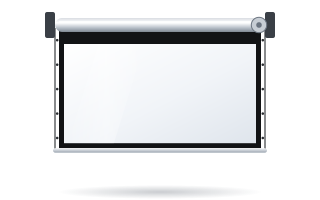
- Linear SE – a slim case mounted against the wall, for smaller rooms and classrooms.
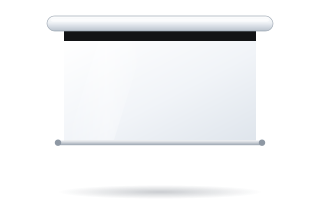
- Basic – an economical motorised screen for classrooms and training rooms.
- Rugby Pro – for conference rooms where the screen is used every day.
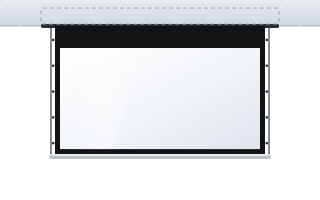
- Inceel – recessed in a suspended ceiling, so nothing hangs on the wall.
Screen control can be linked to the projector via a 12 V trigger – the screen lowers automatically when the projector is switched on. The options are described in our guide controlling a motorised screen.
Summary
An interactive display and a projection screen do not compete in every room. A display is best where touch and close-up work matter; a screen is best where the whole room needs to see the image from the rear rows. Work out the image size from the distance to the back row and the answer usually becomes obvious. More advice for schools and institutions is in our guides screens for schools and screens for conference rooms. You can check screen prices in the Configurator for business & institutions.
Frequently asked questions
Is a 98-inch interactive display enough for a classroom?
For a room where the back row sits up to about 7 m away, usually yes. In a 9 m classroom, the screen manufacturer's rule (image height = 1/6 of the distance) calls for an image 1.5 m high, while a 98″ display is about 1.22 m.
Which is brighter: a display or a projector and screen?
A display is typically 350–450 cd/m². A 4000 lm projector on a 2.4 × 1.5 m screen with a 1.2-gain fabric gives comparable brightness, but on a larger screen the image is proportionally dimmer.
Can a room have both a display and a screen?
Yes, it is a common solution. The display is used for close-up work and interaction, while a motorised screen lowered beside or above it shows a large image for the whole room.
Which ADEO screen for a classroom with an interactive display?
Most often the Basic, Linear SE or Rugby Pro motorised screen, or the Inceel with a suspended ceiling. The key is that it does not cover the display when lowered.