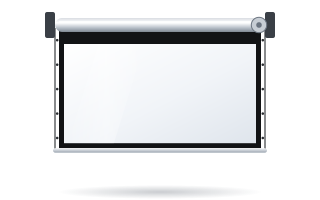
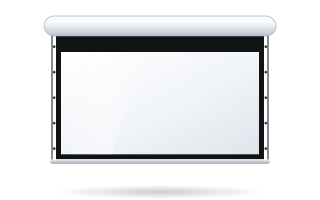
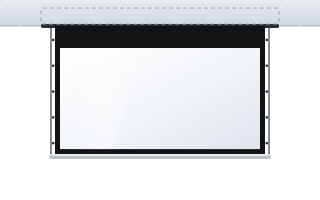
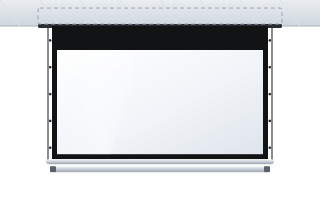
- Specify the screen's parameters and functions, not a particular model – if you do name one, add “or equivalent” and the equivalence criteria.
- State the dimensions of the image area and the aspect ratio, not the case size or overall size.
- For the fabric, use ranges (gain, viewing angle) rather than one manufacturer's values.
- Require documents: a CE declaration of conformity and confirmation of the fire classification of the surface.
- ABC Prezentacji helps prepare the specification and the bid, and after the award ships the screens at no extra transport cost; fitting is done by an installer and the power connection by an electrician.
Why specifying a screen in a tender is tricky
A projection screen looks like a simple product, but the specification (the description of the subject of the contract) is prone to two opposite mistakes. The first is a description that is too vague – “motorised screen 240 cm” – which leaves the buyer with the cheapest screen available: no border, a wavy fabric and no way of setting the bottom edge of the image at the right height. The second is copying the datasheet of a single model: exact case dimensions, fabric name, specific motor. Such a description restricts competition, triggers questions and appeals from bidders, and sometimes leads to the procedure being cancelled.
The answer lies in between: describe the functions and performance parameters that follow from the conditions in the room, and wherever you have to refer to a particular product, add the phrase “or equivalent” and state what equivalence means.
The neutrality principle: parameters, not brands
As a rule, public procurement law does not allow the subject of a contract to be described by reference to a trade mark, manufacturer or origin unless the subject itself justifies it. The exception is when it cannot be described precisely enough in any other way – in that case the name must be accompanied by “or equivalent”. It is always worth confirming the legal details with the person responsible for procurement in your organisation. In practice, a parametric description is entirely sufficient for a projection screen.
- Use ranges: “image width min. 240 cm”, “gain in the range 1.0–1.3”, rather than single values.
- Describe the purpose: “black masking border on both sides of the image” rather than the border width of a specific model.
- Limit case dimensions only where necessary – e.g. the maximum case height for installation in a suspended ceiling.
- Set equivalence criteria if you refer to a model: aspect ratio, image dimensions, tensioning type, gain and viewing angle within the stated range, control method.
Which screen parameters to include in the specification
The table below is a checklist. Not every item is needed in every procedure – a classroom needs only a simple motorised screen, while a council chamber will require an in-ceiling screen and integration with the control system.
| Parameter | How to specify | What to watch out for |
|---|---|---|
| Screen type | motorised in a case, in-ceiling, fixed-frame, portable | match it to the room and how it is used |
| Image size | width and height of the projection surface (min.) | do not confuse with overall size or diagonal |
| Aspect ratio | 16:10, 16:9, 4:3, 1:1 | consistent with the projector's resolution |
| Surface | matte white, grey, acoustic, rear projection | colour and type follow from the room's lighting |
| Gain and viewing angle | gain range, minimum viewing angle | higher gain usually means a narrower angle |
| Border and black drop | black border, black top drop of a length to be agreed | the black drop determines the height of the image's bottom edge |
| Tensioning | side tensioning of the surface (where flatness is required) | important for large sizes, 4K and ALR fabrics |
| Drive and control | 230 V motor, switch, remote control, 12 V trigger, RS232 | agree with the room's control system |
| Documents | CE declaration, confirmation of fire classification | require a document, not the specific class of one fabric |
| Services | delivery, installation, commissioning, training | define installation conditions and access to the room |
Dimensions: describe the image, not the case
The most important dimension is the image area – what the audience actually sees. The case of a motorised screen is wider than the image, and the black border increases the overall size further. If the width of the wall or recess is limited, state the maximum overall width separately.
Calculate the image size from the distance to the back row. According to the manufacturer's recommendations, the image height should be at least 1/6 of that distance for presentations and video, and 1/4 for charts, tables and technical drawings. For a classroom 8 m long this gives an image height of approx. 1.35 m (presentations) or 2 m (fine detail), i.e. a width of approx. 2.15–3.2 m in 16:10. Details and examples can be found in the guide how to choose the screen size.
It is also worth specifying the height of the image's bottom edge above the floor (in classrooms and meeting rooms usually approx. 110–120 cm) – the supplier will then choose the length of the black top drop, i.e. the black drop.
Fabric: gain, viewing angle and fire class
Instead of naming the fabric, describe its properties. In a darkened or semi-darkened room a matte white surface with a gain of approx. 1.0–1.3 and a wide viewing angle works well. In a room with a lot of daylight you can require a grey surface that improves contrast under ambient light – but remember that some fabrics of this type do not work with ultra-short-throw projectors. If the room is to have a UST projector, say so explicitly so that the supplier chooses a compatible surface. An overview of surfaces is on the projection fabrics page.
Every ADEO screen has a CE declaration of conformity, and the projection surfaces have fire classifications (B1, M1 or M2 – depending on the fabric). In the specification, require a document confirming a fire classification that meets the building's requirements, rather than stating a class that only one particular fabric has.
Control and integration with the room
In a classroom a wall switch is enough. In a meeting room or council chamber the screen usually has to lower automatically when the projector is switched on or from the control system panel. Specify the required method: 12 V trigger from the projector, RS232 interface, dry contact, radio remote. If a control system is already in place, state its type and the required communication protocol. More in the guide controlling a motorised screen.
Warranty, service and documents
The warranty period and service inspection terms are set by the buyer – they are often also a bid evaluation criterion. It is worth requiring a user manual in Polish, an installation and commissioning report, and training for the staff who run the room. If the screen is to be installed in a suspended ceiling, specify who prepares the opening and the supporting structure – this is a frequent source of disputes during delivery. The guide in-ceiling screens will help.
Sample specification
Example 1: motorised screen for a classroom
- Motorised projection screen in an aluminium case, for wall or ceiling mounting, or equivalent meeting the parameters below.
- Image area dimensions: width min. 240 cm, height min. 150 cm, aspect ratio 16:10.
- Projection surface white, matte, gain in the range 1.0–1.3, viewing angle min. 150°.
- Black side border around the image area, min. 4 cm wide.
- Black top drop of a length allowing the bottom edge of the image to be set approx. 110–120 cm above the floor.
- Drive: 230 V tubular motor with adjustable limit switches.
- Control: wall switch included; option to add radio control.
- Mounting brackets included.
- CE declaration of conformity and a document confirming the fire classification of the projection surface.
- Warranty: min. [number] months – value set by the buyer.
- Scope: delivery, installation, commissioning, limit switch adjustment, training.
Example 2: in-ceiling screen for a council chamber
- Motorised projection screen for installation in a suspended ceiling, or equivalent; when retracted, only a slot in the ceiling is visible.
- Image area dimensions: width min. 300 cm, aspect ratio 16:9.
- Side tensioning system ensuring a flat image.
- Matte projection surface with a viewing angle of min. 140°, matched to the room's lighting and the projector type (standard / UST projector – specified by the buyer).
- Maximum case height: [value] mm, determined by the space above the suspended ceiling.
- Control: interface allowing integration with the room's control system (RS232 or 12 V trigger) and a radio remote.
- CE declaration of conformity and a document confirming the fire classification of the projection surface.
- Scope: delivery, installation in the prepared opening, connection to the control system, commissioning, training.
Both examples are templates – adapt the dimensions, aspect ratio and control method to the specific room. We cover parameters for schools in more detail in the guide screens for schools, and for meeting rooms in the guide screens for conference rooms.
The most common mistakes in screen specifications
- Diagonal instead of image dimensions – a diagonal without an aspect ratio defines neither the width nor the height of the image.
- Case dimensions copied from a datasheet – they restrict competition without affecting quality.
- A single gain value – instead of a range, it excludes equivalent surfaces.
- No information on mounting height – a screen hung below a 3.5 m ceiling without a black drop will show the image too high.
- Fabric incompatible with the projector – especially with UST projectors.
- Vague control requirements – “control from the room system” without specifying the interface.
How we help with tenders
ABC Prezentacji has been serving schools, universities and public institutions for more than 20 years. We help prepare the technical specification of screens for tender documents, choose the size, aspect ratio and fabric for the room's conditions, and then submit a bid. Once the contract is awarded, we handle delivery, including at times convenient for the school, e.g. before the winter or summer holidays. We do not install screens: fitting is done by a specialised installer and the power connection by an electrician – we will advise you on preparing the site.
Frequently asked questions
Can the specification name a screen model?
As a rule, the description should be parametric. If you refer to a specific model, add “or equivalent” and state the equivalence criteria, e.g. image dimensions, aspect ratio, gain and control method.
How should the screen size be stated in a tender?
State the minimum width and height of the image area and the aspect ratio, e.g. 240 × 150 cm, 16:10. The diagonal alone is not enough because it does not define the aspect ratio.
Which documents should be required from the supplier?
Most often a CE declaration of conformity, a document confirming the fire classification of the projection surface, a user manual and an installation and commissioning report.
Do you help prepare tender specifications?
Yes. We help choose screen parameters and prepare the specification, submit a bid and, after the award, ship the screens at no extra transport cost.
How do I specify fabric gain without pointing to a manufacturer?
Use a range, e.g. gain 1.0–1.3 for a white surface in darkened rooms, plus a minimum viewing angle. A single value may fit only one fabric.