- Ambient light lifts the blacks on the screen – grey or ALR fabric limits this effect.
- Ambient Grey 2 (ALR) only works with standard and short-throw projectors, not with UST.
- For a UST projector in a bright living room, choose Ambient Grey or Reference Grey 2.
- ALR fabric needs a flat surface – a fixed-frame screen or a tensioned motorised screen.
- Even the best screen cannot replace blinds in direct sunlight.
Why the image fades in a bright living room
A projector cannot project “black” – the black parts of the image are simply areas its light does not reach. So the screen shows only as much black as the room lighting allows. Any light from a window, a lamp or bouncing off a white wall falls on the screen and lifts the dark areas. The image loses contrast, colours fade and subtitles on a dark background turn grey.
A white, highly reflective fabric reflects everything – the projector's light and the room's light. That is why two things are key in a bright living room: a fabric that reflects less ambient light, and a projector with brightness in reserve.
How ALR fabric works
ALR (Ambient Light Rejecting) fabric is designed to direct light coming from the projector towards the viewers, while largely suppressing light arriving from other directions – from the side or from above. In the ADEO range this fabric is Ambient Grey 2: gain 0.9 and a viewing angle of approx. 60°. The narrower angle is the price of light rejection – viewers should sit more or less in front of the screen rather than far off to the side.
An important limitation: Ambient Grey 2 is designed for standard and short-throw (ST) projectors only. Do not use it with ultra-short-throw projectors (UST), which shine onto the screen from below at a very steep angle. The same applies to the acoustic version, Ambient Grey 2 Acoustik (gain 0.8).
Grey fabrics – for UST projectors too
Grey fabric reflects less light than white, so dark areas of the image stay darker, even when light bounces off light-coloured walls. This comes at a price – lower gain means the projector has to be brighter. In a bright living room the most common choices are:
- Ambient Grey – gain 0.6, 140° viewing angle, for rooms with ambient light or light and coloured walls. Suitable for UST and ST projectors.
- Reference Grey 2 – gain 0.5, a grey fabric that improves black levels with light walls and a little light. Also UST-compatible.
We compare them in more detail in the guide ALR screen and grey fabric.
Which fabric for your living room – table
| Situation | Standard / short-throw projector | UST projector |
|---|---|---|
| Lots of daylight, daytime viewing too | Ambient Grey 2 (ALR, gain 0.9, approx. 60°) | Ambient Grey (gain 0.6, 140°) |
| Light or coloured walls, evening viewing with lamps on | Ambient Grey 2 or Ambient Grey | Ambient Grey or Reference Grey 2 |
| Wide sofa, viewers far off to the side | Ambient Grey (wider 140° angle) | Ambient Grey |
| A living room that can be darkened well | Reference White 2 or Reference Grey 2 | Reference Grey 2 |
Remember that a gain below 1 means the screen reflects less light than a reference white surface. With grey fabrics, plan for a projector with brightness in reserve.
Screen flatness: a must with ALR
ALR and grey fabrics are more demanding than ordinary white – every ripple or unevenness changes the way light is reflected and shows up as lighter or darker bands. For ALR fabrics in roller screens, the manufacturer recommends Tensio tensioning or a fixed-frame screen. In practice this means:
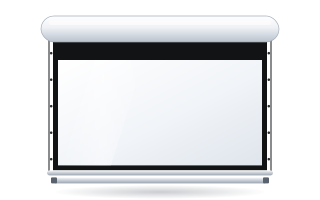
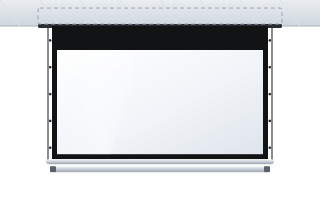
- A tensioned motorised screen – OnSuperior with Floating Tab tensioning or Rugby Pro in the Tensio Classic version. The screen retracts after the film, and the fabric is tensioned at the sides.
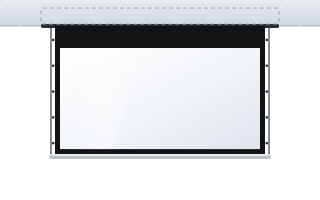
- A tensioned in-ceiling screen – InSuperior: a flat surface and a case hidden in the ceiling.
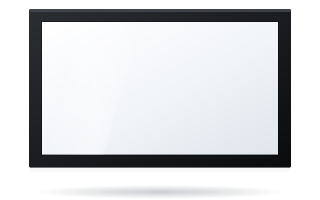
- A fixed-frame screen – Plano or Prestige, if the screen can stay on the wall permanently.
More on tensioning systems in the guide Tensio tensioned screen, and the full list in the tensioned screens category.
In-ceiling screen in the living room
In a living room the screen usually cannot hang permanently – the wall is used for other things, and often there is a TV in front of it. The most discreet solution is a screen recessed into a suspended ceiling: Inceel (also with a border and Tensio Classic) or InSuperior with Floating Tab tensioning. Once rolled up, only a narrow slot is visible. The installation must be agreed with the ceiling contractor before the ceiling is closed – see the guide in-ceiling screen.
If there is no suspended ceiling, the motorised screen is mounted under the ceiling or on the wall. A white or black case (depending on the model and options) lets you match it to the interior.
Projector brightness and image size
In a bright living room, projector brightness is just as important as the fabric. The projector spreads the same amount of light over the whole image area, so a bigger screen means a darker image. A 120″ 16:9 screen has almost twice the area of an 85″ screen, so with the same projector every part of it is noticeably darker.
Practical rules:
- In a bright room, choose a screen one size smaller than the sofa distance alone would suggest.
- With a lower-gain grey fabric, plan for a brighter projector than you would for a white screen.
- When comparing projectors, look at brightness in ANSI lumens and at the picture modes – the brightest mode often reproduces colours less accurately.
The rules for choosing size and projector are described in the guides how to choose the screen size and how to match a screen to a projector.
Light control: blinds, lamps, screen position
No fabric can cope with direct sunlight falling on the screen. A few simple measures achieve more than changing the fabric:
- Blinds or curtains – even partly covering the window opposite the screen noticeably improves contrast.
- Screen position – if you can choose the wall, avoid the one a window shines directly onto. ALR fabric rejects light from the side better than light coming from the direction of the viewers.
- Lighting – in the evening use lamps behind or beside the sofa, not strong ceiling lights above the screen.
- Walls – a darker, matt wall colour around the screen reduces reflections.
The most common mistakes in a bright living room
- ALR Ambient Grey 2 with a UST projector. This combination does not work – for UST choose Ambient Grey or Reference Grey 2.
- ALR fabric in an ordinary roller screen without tensioning. Ripples in the fabric will be visible.
- A screen too big for the projector's brightness. A smaller, brighter image looks better than a large, washed-out one.
- Ignoring the ALR viewing angle. With a wide corner sofa and viewers far off to the side, a fabric with a wider angle is better.
- Expecting the screen to replace blinds. With full sun on the screen, any projected image will be weak.
Checklist: screen for a bright living room
- Identify the projector type: standard/short-throw or UST.
- Assess the light: windows (which side), wall and ceiling colour, time of viewing.
- Choose the fabric from the table above.
- Choose a design that ensures flatness: tensioning, a frame or a tensioned in-ceiling screen.
- Choose a size that leaves the projector brightness in reserve.
- Plan blinds and evening lighting.
Configure a screen in your chosen size and fabric in the configurator. If you are not sure which fabric to choose, describe your living room and projector to us – we will help.
Frequently asked questions
Which screen for a bright room?
For a standard or short-throw projector choose ALR Ambient Grey 2 fabric, and for a UST projector – Ambient Grey or Reference Grey 2. Combine it with a fixed-frame or tensioned screen and cover the windows in strong sunlight.
Does an ALR screen work during the day?
Yes, ALR fabric noticeably improves contrast in ambient light, especially light coming from the side or above. With direct sunlight on the screen, blinds or curtains are still needed.
Is ALR fabric suitable for a UST projector?
Ambient Grey 2 and Ambient Grey 2 Acoustik are not designed for UST projectors. For an ultra-short-throw projector choose Ambient Grey or Reference Grey 2.
Grey or white screen for a living room?
If the living room is bright or has light walls, a grey screen will give better blacks and contrast. A white screen is best when the room can be darkened well.
Does an ALR screen need tensioning?
The manufacturer recommends using ALR fabrics in roller screens with Tensio tensioning or in a fixed-frame screen. Without it, unevenness in the fabric may be visible in the image.