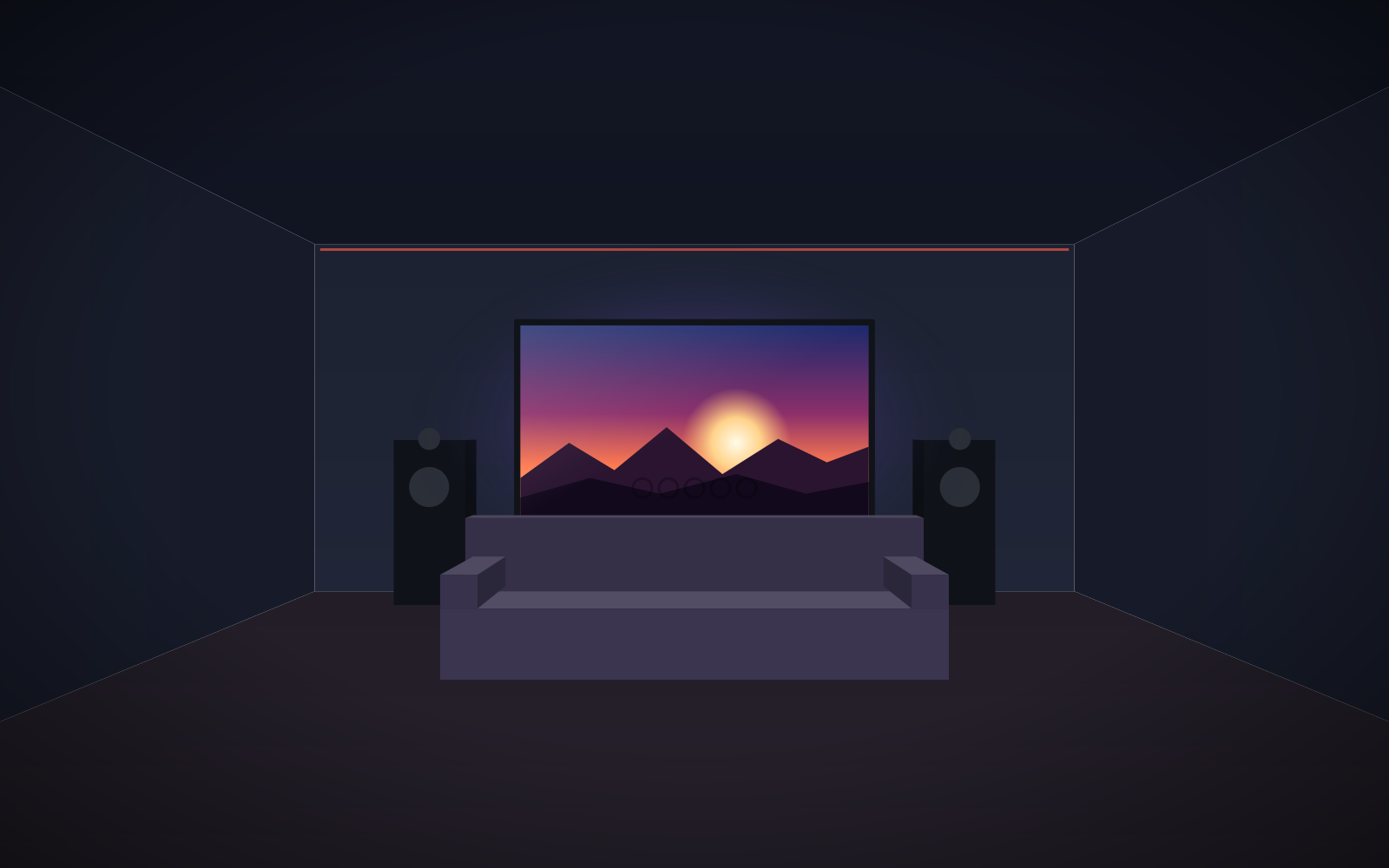
- First decide whether it is a dedicated cinema room or a living room – this determines the screen type and fabric.
- Manufacturer's sizing rule: image height = distance from the main seat / 2.5 (Full HD and above).
- In a dark room, white Reference White 2 works best; with light-coloured walls – Reference Grey 2.
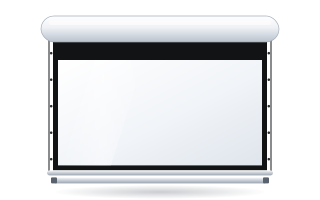
- A fixed-frame screen gives the flattest surface; in a living room a tensioned motorised screen or an in-ceiling screen is more practical.
- 2.35:1 and curved screens are options for cinema rooms with a projector set up for that format.
Cinema room or living room – start here
The same projector and the same screen will give a completely different picture in a dark room with black walls and in a bright living room with a white ceiling. That is why the first decision is not the model but the room.
| Dedicated cinema room | Living room / lounge | |
|---|---|---|
| Light | full control, complete blackout possible | windows, light walls, evening viewing with lamps on |
| Screen type | fixed-frame (Plano, Prestige, Frameless), curved | motorised, ideally tensioned, or in-ceiling |
| Fabric | Reference White 2, acoustic versions | Reference Grey 2, Ambient Grey, ALR Ambient Grey 2 |
| Aspect ratio | 16:9 or 2.35:1 | usually 16:9 |
| Screen after the film | stays on the wall | retracts |
If your living room is very bright, also read the guide screen for a bright living room. And if you are still wondering whether projection is a good idea at all, take a look at the projector or TV comparison.
Screen type: fixed-frame, motorised or in-ceiling
Fixed-frame screen – the cinema room standard
Fabric stretched over a rigid frame is perfectly flat, and the black velvet frame absorbs light spilling beyond the image, visually boosting contrast. It is the best choice for a dedicated room. Plano is a classic black-velvet frame (image width 1.8–3 m), Prestige has a narrow frame of approx. 10 mm (2–4 m), and Frameless has a frame invisible from the front, so the image appears to float on the wall (3–7 m). All three are available in aspect ratios up to 2.40:1 and with acoustic and ALR fabrics. See the full overview in the fixed-frame screens category.
Motorised screen – when the screen needs to disappear
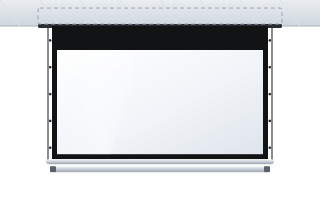
In a living room the screen usually has to retract. A motorised screen in a case is mounted on the wall or under the ceiling and lowered by remote control or automatically when the projector is switched on. Ordinary roller fabric can ripple slightly, which in a home cinema is visible in bright, uniform scenes. That is why for cinema use we recommend versions with side tensioning (Tensio) – for example OnSuperior with Floating Tab tensioning or Rugby Pro in the Tensio Classic version. More on this in the Tensio tensioned screen guide.
In-ceiling screen – invisible after the film
If the living room has a suspended ceiling, the screen can be hidden in it. Once rolled up, only a narrow slot is visible. Inceel is also available with a border and Tensio Classic, and InSuperior combines in-ceiling installation with Floating Tab tensioning – the choice for a premium cinema in the living room. The installation must be planned together with the ceiling contractor.
A detailed comparison is in the guide fixed-frame or motorised screen.
What size screen for a home cinema
The manufacturer gives a simple rule for home cinema: image height = Ds / 2.5 for Full HD content and better, and Ds / 3.3 for HD and SD content, where Ds is the distance from the main seat (the sofa) to the screen. Calculate the width by multiplying the height by the aspect ratio.
| Sofa distance (Ds) | Image height (Ds/2.5) | 16:9 screen – width / diagonal | 2.35:1 screen – width / diagonal |
|---|---|---|---|
| 2.5 m | 1.00 m | 1.78 m / approx. 80″ | 2.35 m / approx. 101″ |
| 3.0 m | 1.20 m | 2.13 m / approx. 96″ | 2.82 m / approx. 121″ |
| 3.5 m | 1.40 m | 2.49 m / approx. 112″ | 3.29 m / approx. 141″ |
| 4.0 m | 1.60 m | 2.84 m / approx. 128″ | 3.76 m / approx. 161″ |
| 4.5 m | 1.80 m | 3.20 m / approx. 145″ | 4.23 m / approx. 181″ |
| 5.0 m | 2.00 m | 3.56 m / approx. 161″ | 4.70 m / approx. 201″ |
Example: the sofa is 3.5 m from the wall. Image height: 3.5 / 2.5 = 1.4 m. Width in 16:9: 1.4 × 1.778 = 2.49 m, i.e. a diagonal of about 112″. If you mainly watch older, lower-resolution content, the Ds/3.3 rule gives a height of about 1.06 m – a smaller screen on which pixels are not visible.
The values in the table are the upper, “cinema” limit. If the room has a lot of light or the projector is not very bright, it is sensible to go down one size – a smaller image will be brighter. With 4K content you can sit closer: roughly at a distance of about 1–1.5 times the image width. Exact dimensions for other diagonals are in the diagonal chart, and more examples in the guide how to choose the screen size.
How high to hang the screen
The manufacturer recommends that the viewing angle from the viewer's eyes to the centre of the image should not exceed about 15° upwards. In practice, in a home cinema the bottom edge of the image is usually slightly above the eye level of someone sitting on the sofa, and with several rows – higher, so that heads in front do not block the image. On roller screens, the image height is adjusted by the length of the black top drop above the image.
Aspect ratio: 16:9 or cinema 2.35:1
Most content – series, sport, games, some films – is in 16:9, and it is the safe choice, especially in a living room. Cinema films are often in 2.35:1 or 2.39:1; on a 16:9 screen they are displayed with black bars at the top and bottom.
In a dedicated room many people choose a 2.35:1 screen of the same height as a 16:9 screen – cinema films then fill the whole surface and are wider, while 16:9 content is shown in the centre of the screen with bars at the sides. This setup requires a projector that can enlarge the image with zoom and store the settings, or an anamorphic lens setup. Details in the guides 16:9 or 2.35:1
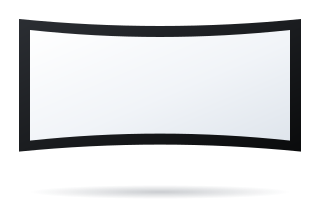
With wide Scope screens and a front row close to the screen, consider a curved screen – for example Plano Curved (image width 1.8–4 m). The curvature evens out the distance from the viewer to the centre and edges of the image and gives a stronger sense of immersion. More in the guide curved or flat screen.
Home cinema fabric
The fabric affects brightness, black level and image uniformity. The key parameters are gain (reflectivity) and viewing angle.
| Fabric | Gain | When to choose |
|---|---|---|
| Reference White 2 | 0.9 | dark room, controlled light; no hot-spot, accurate colours |
| Reference Grey 2 | 0.5 | light walls and some light; better blacks; UST-compatible |
| Ambient Grey | 0.6 | ambient light, light or coloured walls; 140° angle; UST and ST |
| Ambient Grey 2 (ALR) | 0.9 | living room with daylight; approx. 60° angle; standard and short-throw projectors only |
| Reference White 2 Acoustik | 0.9 | dedicated, dark cinema room with speakers behind the screen; 0.5 mm perforation |
| Reference Grey 2 Acoustik | 0.5 | cinema with light walls and speakers behind the screen; UST-compatible |
In a classic cinema room with dark walls, Reference White 2 is the natural choice. Grey fabric helps where light bounces off light-coloured walls and ceiling back onto the screen. ALR fabrics need a very flat surface, so combine them with a fixed-frame or tensioned screen. The full comparison is in the guide projection fabrics – how to choose and in the projection fabrics tab.
Acoustic screen – speakers behind the screen
In a dedicated room the centre-channel and front speakers can be placed behind the screen – the sound then comes from where the action is happening. This requires perforated fabric (0.5 mm perforation in the Acoustik versions) and adequate space behind the screen, and the fixed-frame screen is then mounted some distance from the wall. Details in the guide acoustic screen.
The room: walls, ceiling, light
Even the best screen will not show deep blacks if light from the screen bounces off a white ceiling and walls back onto the image. In a dedicated room:
- paint the walls and ceiling – at least near the screen – a dark, matt colour,
- avoid glossy surfaces and light-coloured furniture near the screen,
- use full blackout on the windows,
- place mood lighting behind the viewers and aim it so it does not fall on the screen.
In a living room such measures are usually not possible – there, grey or ALR fabric partly takes over the role of dark walls.
Screen and projector – making them work together
The screen and projector are best chosen together. The order is simple:
- Resolution and aspect ratio – a 4K or Full HD projector is natively 16:9; a Scope screen requires a projector with the right features.
- Throw distance – image width = throw distance / throw ratio. Example: to get an image 2.49 m wide with a projector with a throw ratio of 1.4, mount it about 3.49 m from the screen. The zoom range gives you some flexibility.
- Lens shift – lets you position the image on the screen without digital keystone correction, which reduces sharpness.
- Brightness – the larger the screen and the lower the fabric gain, the brighter the projector you need. A dark room needs less, a living room much more.
- UST projector – if it is to sit on a cabinet by the wall, choose a fixed-frame or tensioned screen and a UST-compatible fabric. See the guide screen for a UST projector.
The exact step-by-step procedure is described in the guide how to match a screen to a projector.
Example: a home cinema in the living room, step by step
Living room 4.5 × 6 m, sofa 3.5 m from the wall, two windows at the side, light walls, a 4K projector ceiling-mounted. Viewing mainly in the evening, occasionally sport during the day at weekends. The screen must disappear, because a sideboard stands against the wall day to day.
- Size: 3.5 / 2.5 = 1.4 m high, i.e. about 2.49 m wide in 16:9 (approx. 112″). Because of light from the windows, it is sensible to go down to about 2.2–2.4 m width.
- Aspect ratio: 16:9 – sport and series come in this format.
- Fabric: standard projector and side light – ALR Ambient Grey 2; with a wide corner sofa, the wider viewing angle of Ambient Grey is better.
- Type: a tensioned motorised screen, because ALR fabric needs flatness; with a suspended ceiling – the in-ceiling version.
- Control: 12 V trigger from the projector, so the screen lowers by itself when switched on.
The most common home cinema mistakes
- A screen too big for a bright room. A screen larger than the projector's brightness allows gives a washed-out image.
- ALR fabric with a UST projector. Ambient Grey 2 is designed for standard and short-throw projectors only.
- A plain roller screen with a 4K projector. Slight ripples in the fabric become more visible the sharper the image – choose a frame or tensioning.
- A 2.35:1 screen without checking the projector. Without zoom with memory settings or an anamorphic lens, films will not fill the wide screen.
- A screen hung too high. Watching with your head tilted back quickly becomes tiring.
- Leaving cabling until last. Plan the screen power, the projector signal and the 12 V trigger before decorating.
Checklist before ordering a home cinema screen
- Room: dedicated cinema room or living room? How much light, what colour are the walls and ceiling?
- Distance from the sofa to the screen (Ds) and number of rows.
- Size: image height Ds/2.5, width according to aspect ratio – and does it fit on the wall?
- Type: fixed-frame, tensioned motorised, in-ceiling, curved.
- Fabric: white, grey, ALR, acoustic – compatible with the projector type (UST or standard).
- Projector: throw ratio, mounting position, lens shift, brightness.
- Motorised screen control: remote, wall switch, 12 V trigger – see the screen control guide.
- Cables and power prepared before the interior is finished.
Once you have the answers, configure your screen in the home cinema configurator – you will see the price straight away. If you would rather have the room design reviewed, describe the room and projector to us – we will help you choose the size, fabric and mounting method.
Frequently asked questions
What size screen for a home cinema?
According to the manufacturer, the image height is the distance from the sofa divided by 2.5 (for Full HD and 4K). With the sofa 3.5 m from the screen, this gives an image 1.4 m high, i.e. about 112″ in 16:9.
Which home cinema screen: fixed-frame or motorised?
In a dedicated room a fixed-frame screen is best – it provides a perfectly flat surface. In a living room, where the screen needs to retract, choose a motorised screen with Tensio tensioning or an in-ceiling screen.
White or grey screen for a home cinema?
In a dark room with dark walls, white Reference White 2 is better. With light walls and a little light, grey Reference Grey 2 or Ambient Grey will improve black levels, and in a living room with daylight ALR Ambient Grey 2 works well (standard projectors only).
Is a 2.35:1 screen worth it for a home cinema?
It is worth it in a dedicated room if you mainly watch cinema films and the projector can enlarge the image with memory settings or work with an anamorphic lens. In a living room and for 16:9 content, a 16:9 screen is better.
How high should a home cinema screen be hung?
The manufacturer recommends that the viewing angle from the viewer's eyes to the centre of the image should not exceed about 15° upwards. The bottom edge of the image is usually slightly above the eye level of a seated viewer, higher with several rows.
Can a home cinema screen let sound through?
Yes – acoustic fabrics with 0.5 mm perforation, e.g. Reference White 2 Acoustik, allow speakers to be placed behind the screen. They are chosen mainly for dedicated cinema rooms with a fixed-frame screen.